Masterflow
FeaturesWho is it for?FAQPricing
Add to Chrome

The Ultimate Toolkit for Webflow Creators

50+ tools that help you build faster in Webflow and prevent costly client mistakes.

Add to Chrome - It's free
Explore 50+ features
No credit card required. 21-day free trial.

Import images from URL

Breakpoint Cleaner

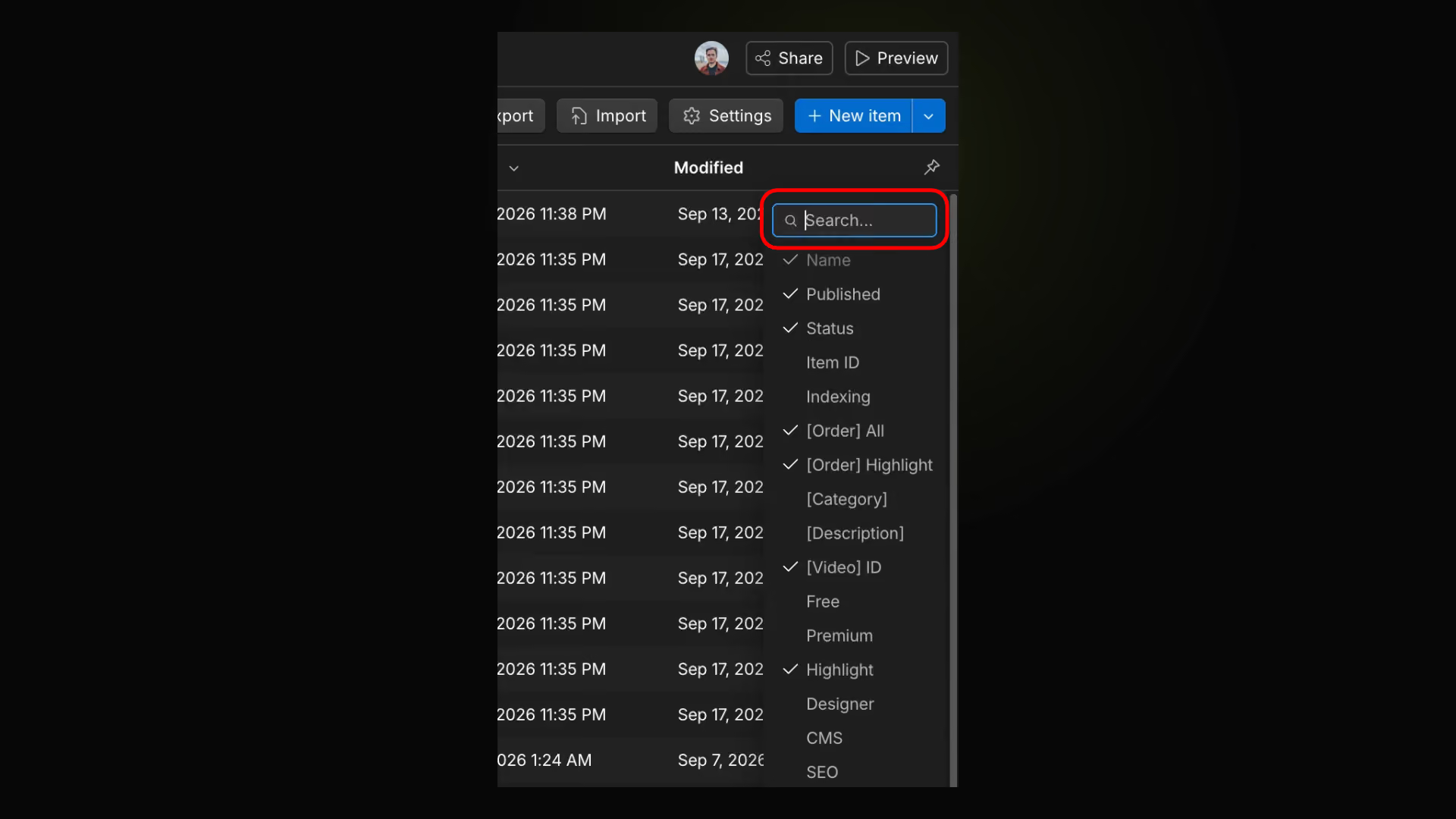
CMS Field Search

CMS Navigator

CMS Collection Reorder

CMS Asset Picker

Bulk Import & Delete 301 Redirects

Prevent class duplication on paste

Resizable right sidebar
Enhance Publish & Preview

SEO Character Length Indicator

Workspace Search

CMS Image ALT Text

Optimize assets

One extension. Two ways to work

A simpler workspace for clients. The full toolkit for creators.

Client — Free

A simpler workspace for clients. The full toolkit for creators.
Essential Webflow enhancements
A cleaner, more focused workspace
Advanced tools kept out of the way

Premium — Freelancers & agencies

50+ tools and enhancements to build faster in Webflow.
Full access to all 50+ tools
More control over your Webflow workflow
Built for freelancers and agencies
Snippet Library (Soon)

50+ ways to improve Webflow

Explore the tools and enhancements that make Webflow Designer faster, smarter, and easier to use.

Import images from URL
Premium
Designer
Import images from URL
Add a button in the Assets panel to bulk-import images from URLs
Breakpoint Cleaner
Premium
Designer
Breakpoint Cleaner
Permanently remove unused upper breakpoints (xxl 1920px, xl 1440px, large 1280px). A backup is created automatically.
CMS Field Search
Premium
CMS
CMS Field Search
Add search input to CMS field popovers and field selector dropdowns
CMS Navigator
Premium
CMS
CMS Navigator
Find collections and navigate CMS items with your keyboard. Open items with Enter, go back with Backspace, and keep your search and selection when returning to the list.
CMS Collection Reorder
Free
CMS
CMS Collection Reorder
Add a Sort button on CMS collection lists to reorder items by a number field
CMS Asset Picker
Free
CMS
CMS Asset Picker
Add a Choose from Assets button to CMS image fields
Bulk Import & Delete 301 Redirects
Premium
SEO
Bulk Import & Delete 301 Redirects
Add a "Bulk Import" button to import redirects via CSV, and checkboxes on each row to select and bulk-delete redirects — both in the site Publishing settings
Prevent class duplication on paste
Free
Designer
Prevent class duplication on paste
Remaps pasted classes to existing ones to avoid duplicates when copying between projects
Resizable right sidebar
Premium
Designer
Resizable right sidebar
Drag to resize the right sidebar in Designer
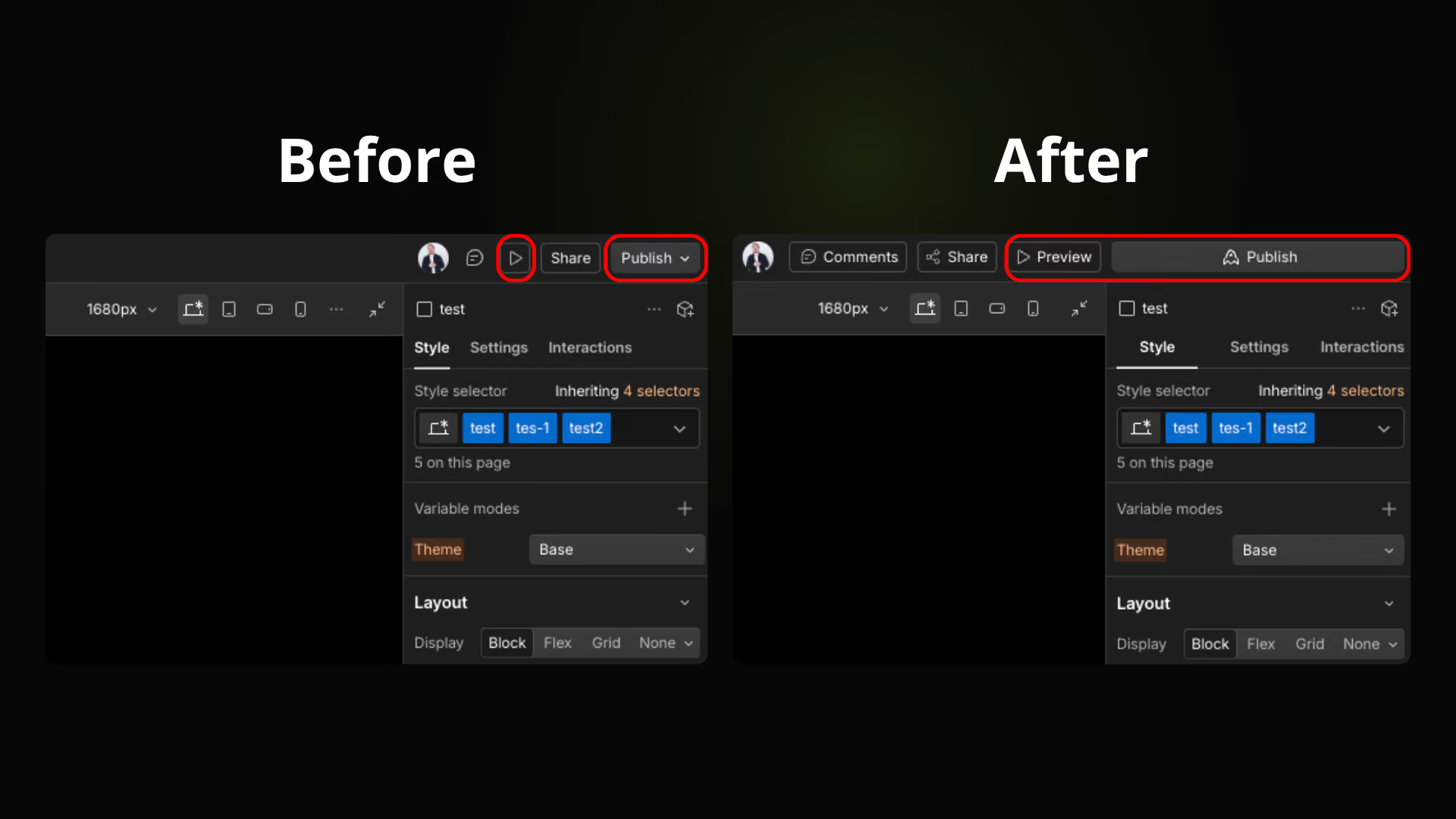
Enhance Publish & Preview
Free
Publish
Enhance Publish & Preview
Wider Publish button + Preview text label
SEO Character Length Indicator
Free
SEO
SEO Character Length Indicator
Show character count and optimal/short/too long status badge for SEO fields
Workspace Search
Premium
Workspace
Workspace Search
Add a search bar in the workspace switcher dropdown
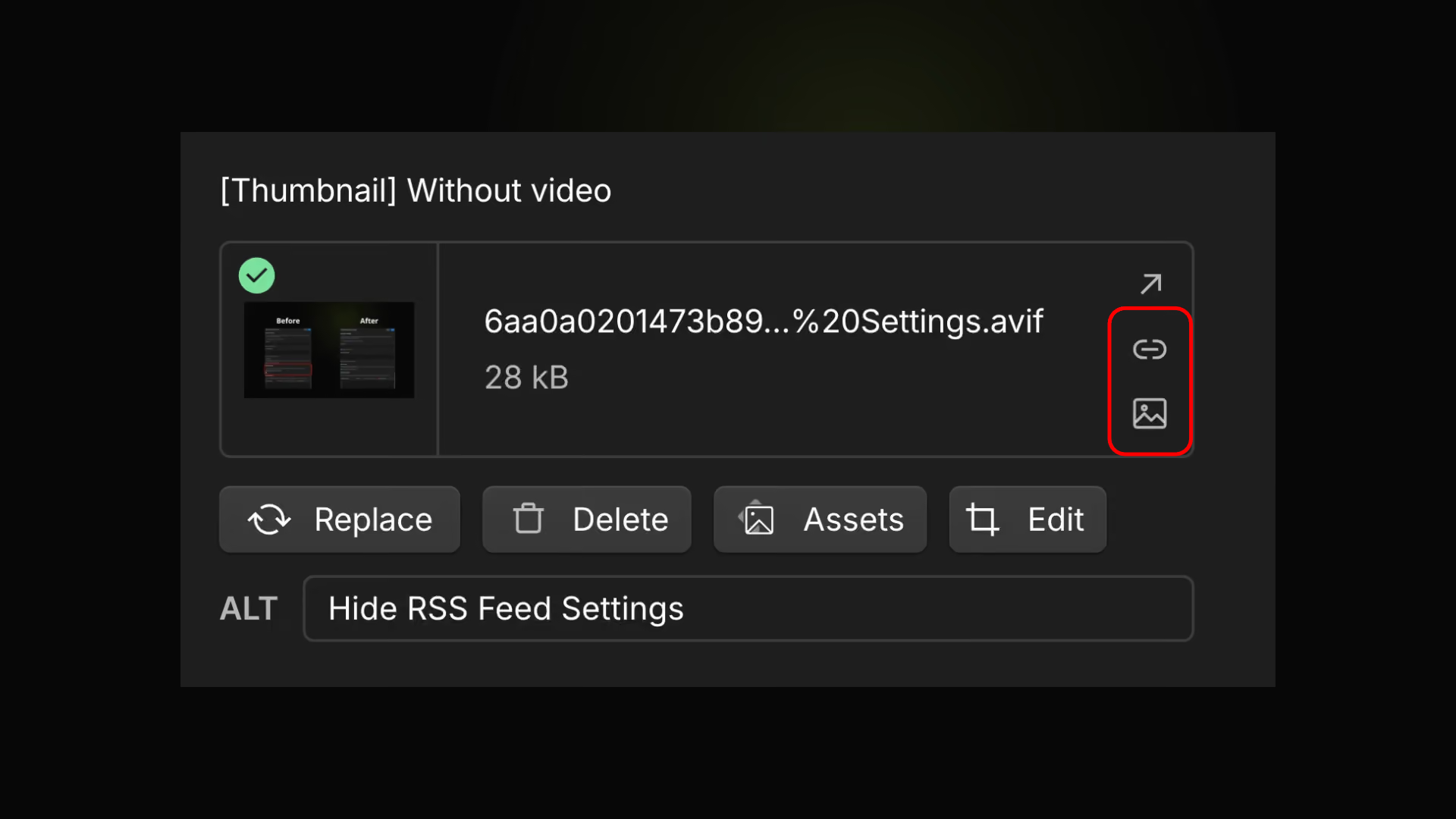
CMS Image ALT Text
Premium
CMS
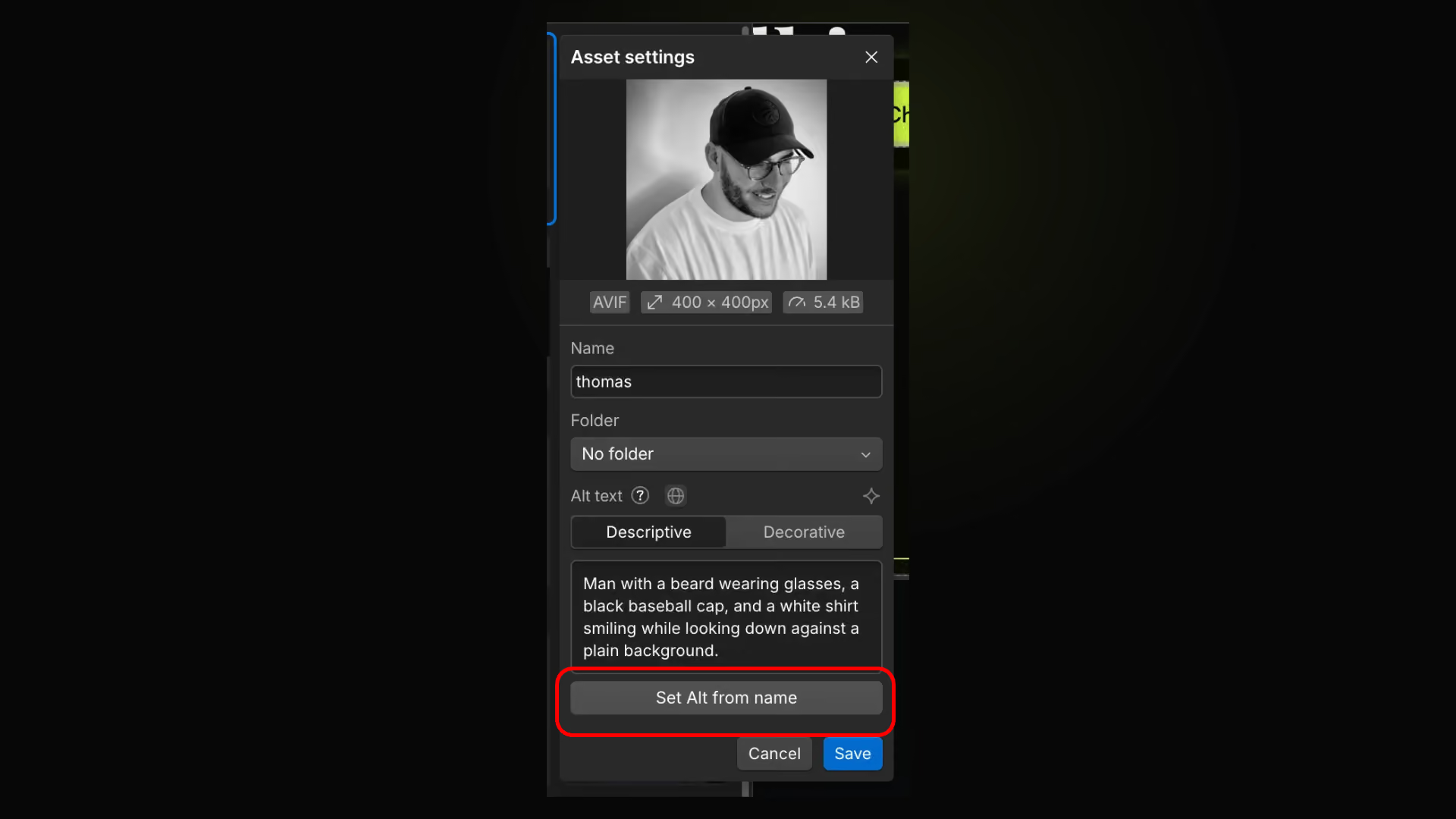
CMS Image ALT Text
Show an inline ALT text editor on CMS image fields
Optimize assets
Premium
Designer
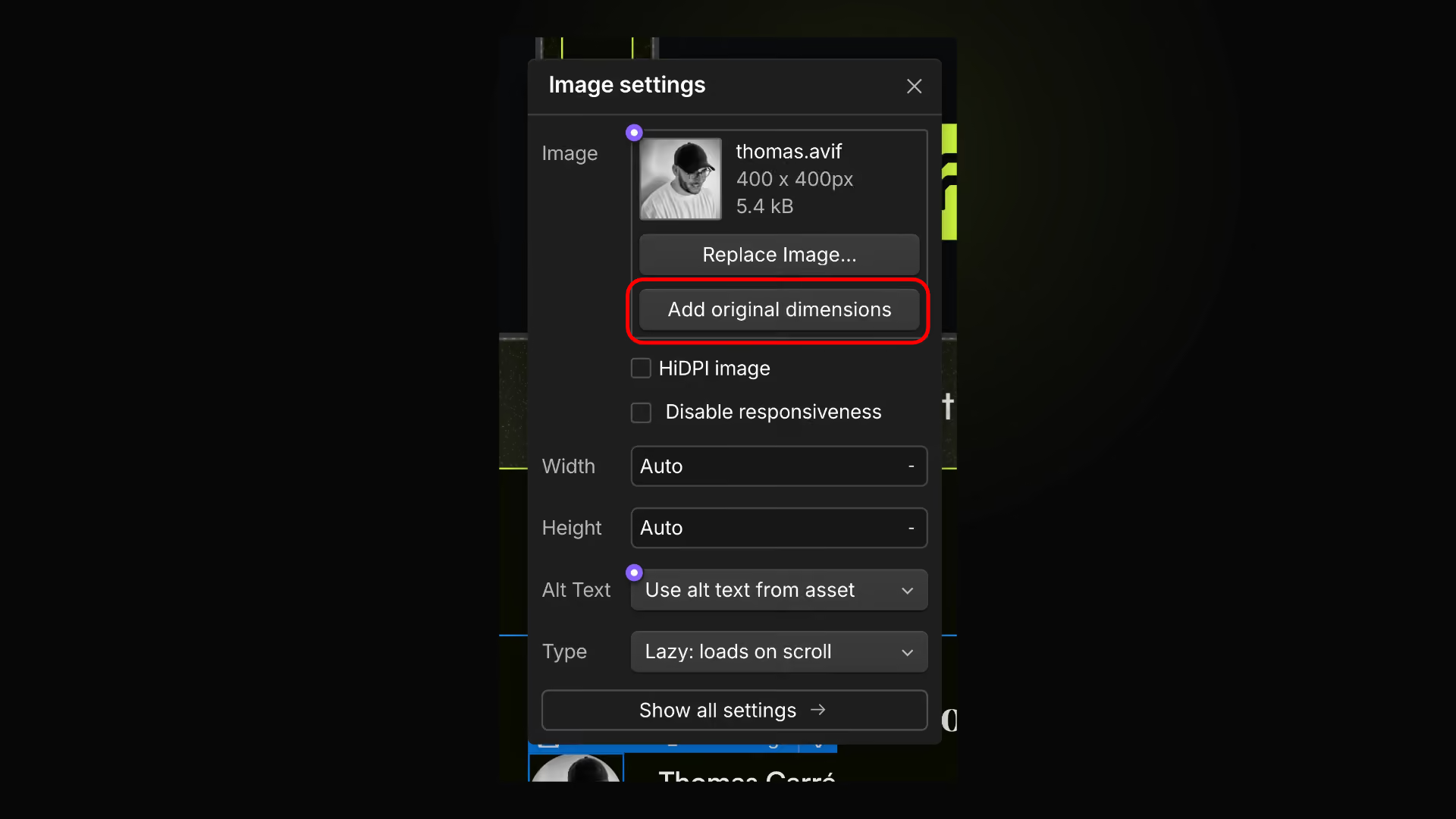
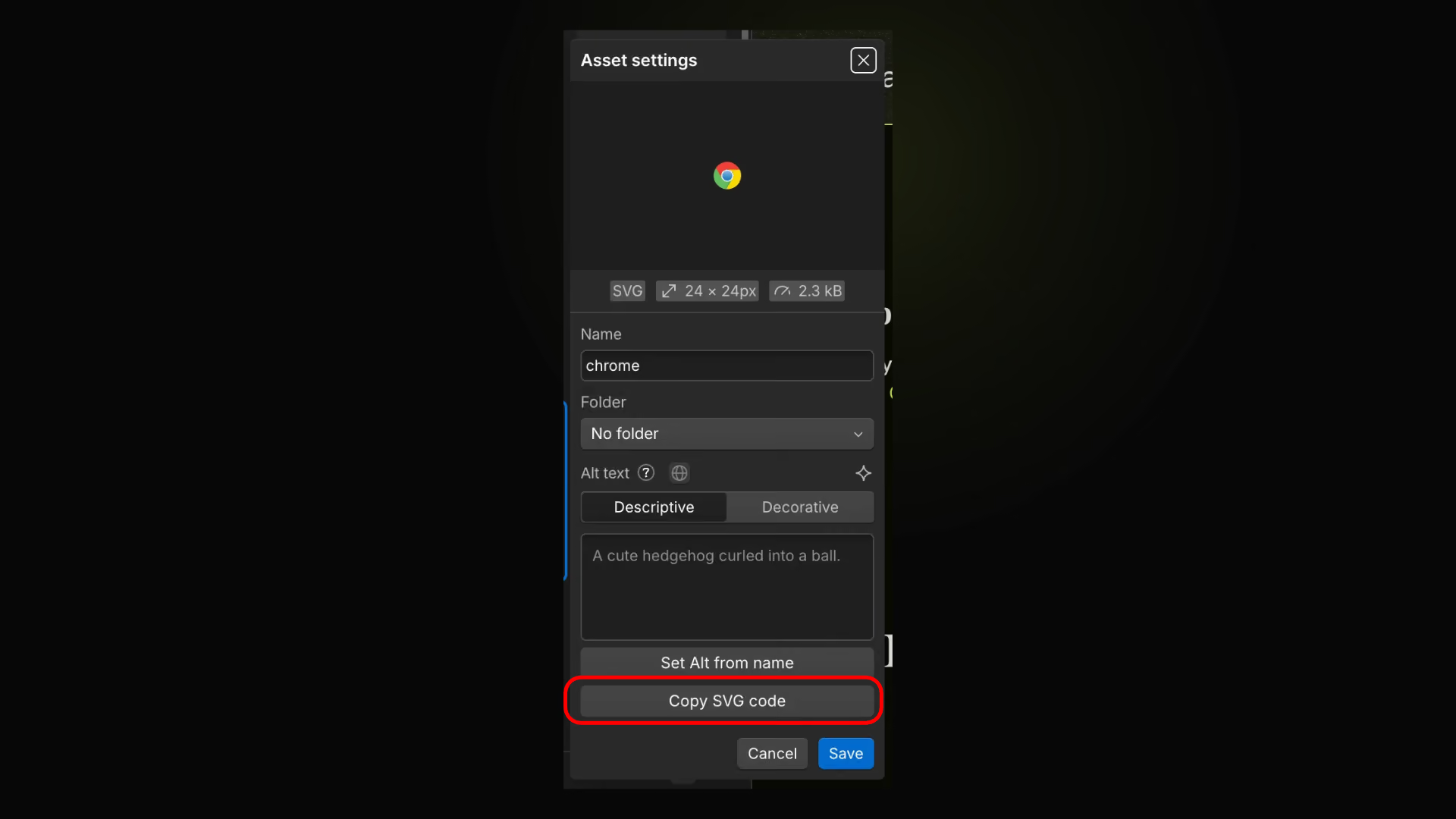
Optimize assets
Crop, resize, keep the original format, or compress as WebP
Locale Highlight Color
Premium
Localization
Locale Highlight Color
Highlight color values that differ between locales using configurable colors.
Resizable Style Selectors
Premium
Resizable Style Selectors
Resize the Style selectors panel between 250px and 500px. Your preferred width is saved automatically across sessions.
Resizable Pages Panel
Premium
Resizable Pages Panel
Resize the Pages panel between 250px and 500px. Your preferred width is saved automatically across sessions.
Resizable Components Panel
Premium
Resizable Components Panel
Resize the Components panel between 250px and 500px. Your preferred width is saved automatically across sessions.
Resizable Assets Panel
Premium
Resizable Assets Panel
Resize the Assets panel between 250px and 500px. Your preferred width is saved automatically across sessions.
CMS Image Optimizer
Free
CMS
CMS Image Optimizer
Crop, resize, keep the original format, or compress as WebP
Persist Last CMS Collection
Premium
CMS
Persist Last CMS Collection
Remember the last CMS collection for each site and reopen it when returning to the CMS, including across browser restarts.
Auto Download CSV Export
Premium
CMS
Auto Download CSV Export
Download the CSV automatically when Webflow finishes a CMS collection export.
Save Item
Free
CMS
Save Item
Use Cmd + S or Ctrl + S in a CMS item to save a new draft or trigger Publish now for an existing item when available.
Duplicate Item
Free
CMS
Duplicate Item
Duplicate the open CMS item with Cmd + D on Mac or Ctrl + D on Windows.
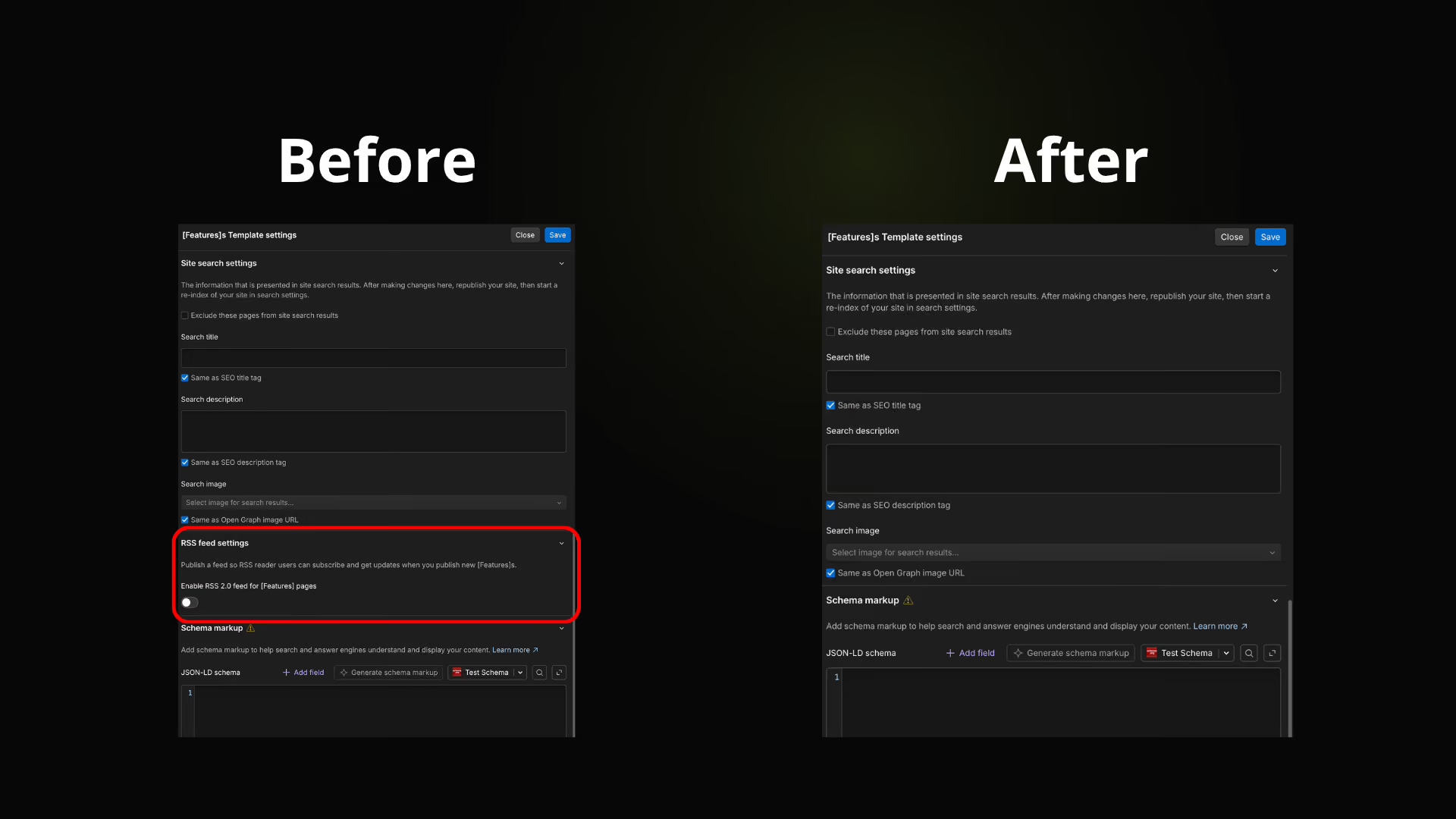
Hide RSS Feed Settings
Free
CMS
Hide RSS Feed Settings
Hide the RSS feed section in page settings without changing the site's published RSS settings.
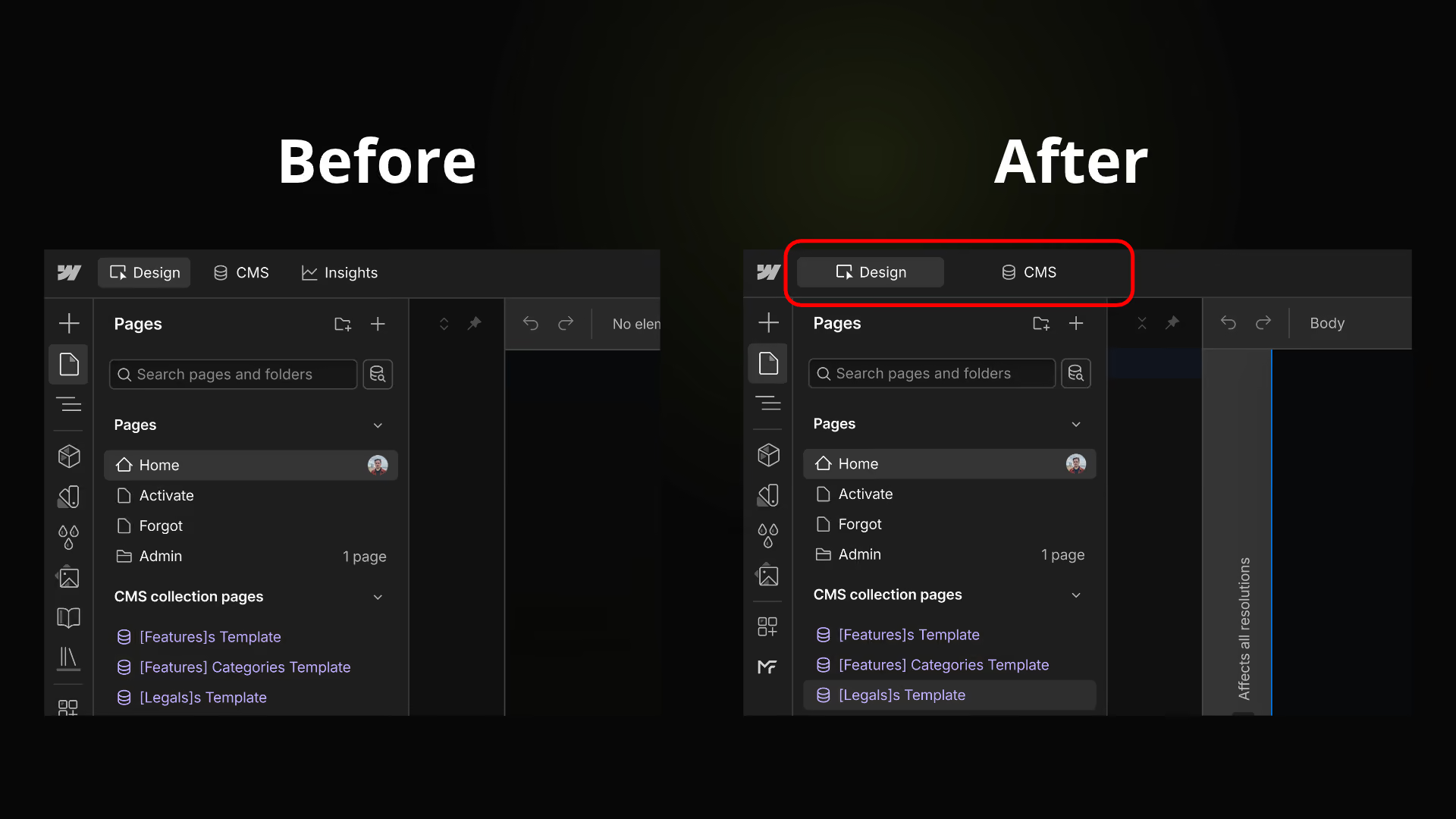
Enhance Design & CMS
Free
Designer
Enhance Design & CMS
Make the Design and CMS buttons wider and evenly sized for a balanced top bar.
Resize Code Editors
Premium
Designer
Resize Code Editors
Resize the schema, head and footer code editors in page settings. Double-click the handle to restore their original height.
Save Page Settings
Free
Designer
Save Page Settings
Save the open page settings with Cmd + S on Mac or Ctrl + S on Windows.
Duplicate Page
Free
Designer
Duplicate Page
Duplicate the current page from Page Settings with Cmd + D on Mac or Ctrl + D on Windows.
Open Top Pages Menu
Free
Designer
Open Top Pages Menu
Press T outside text fields to open the top-bar page switcher.
Toggle CSS Preview
Free
Designer
Toggle CSS Preview
Toggle Webflow CSS Preview with Option + K on Mac or Alt + K on Windows, outside text fields.
CMS Item Layout
Free
CMS
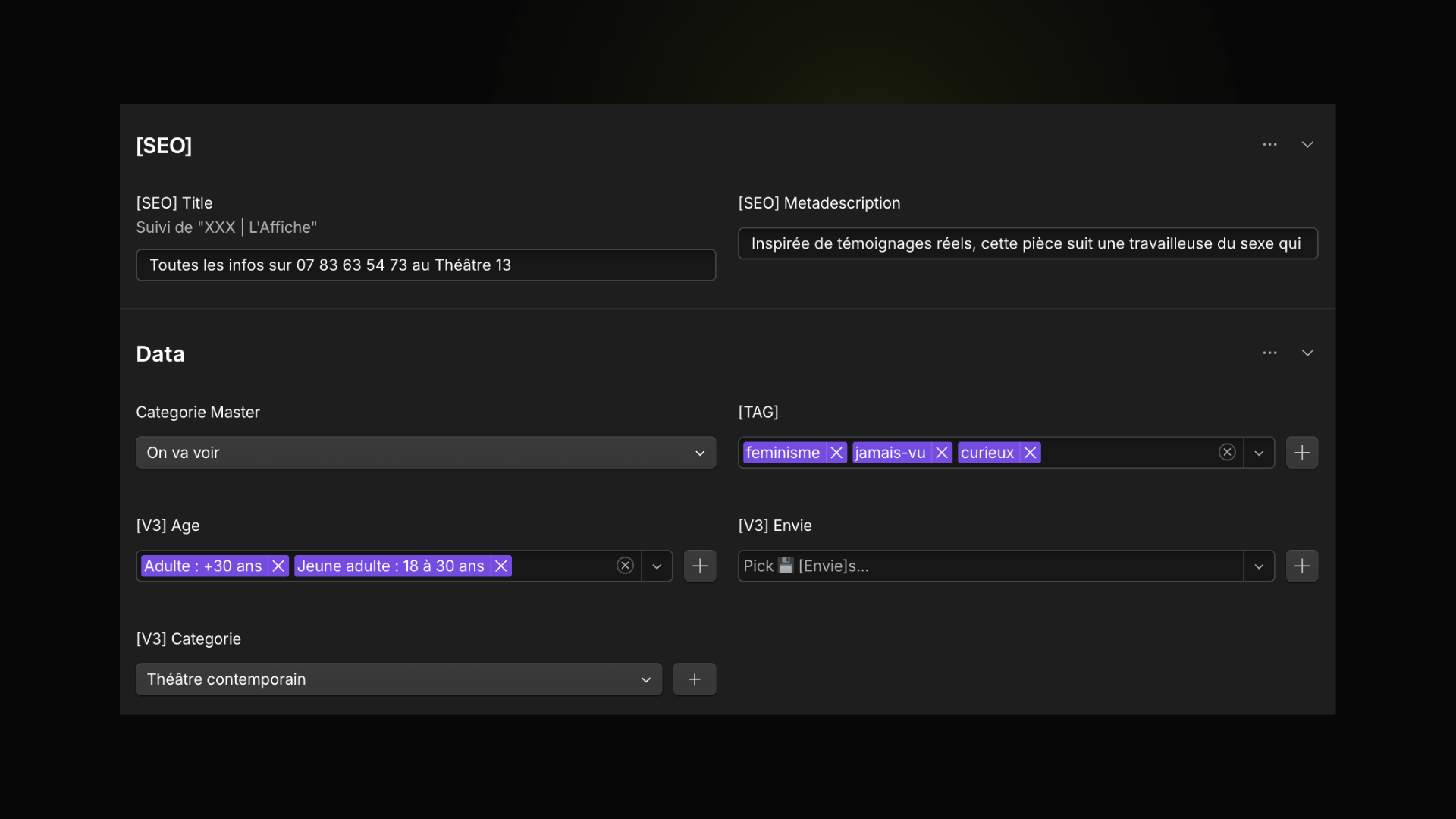
CMS Item Layout
Display fields in 2 columns in CMS item view
Rich Results Test button
Premium
SEO
Rich Results Test button
Add "Rich Results Test" next to Generate schema in Page Settings
Hide Translation settings Glossary
Free
Localization
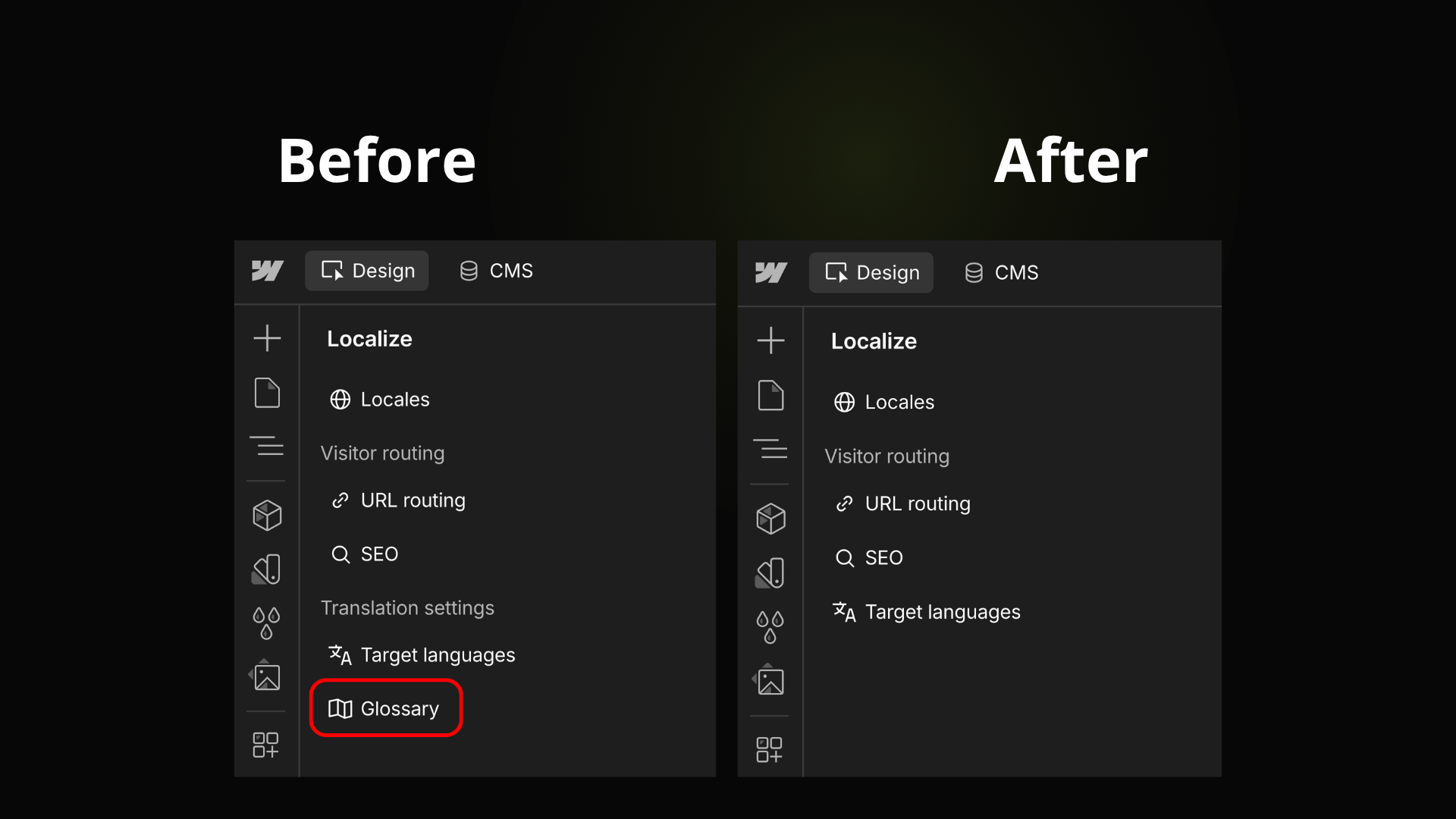
Hide Translation settings Glossary
Hide the Translation settings title and Glossary entry in the Localization sidebar
Production safeguard
Free
Publish
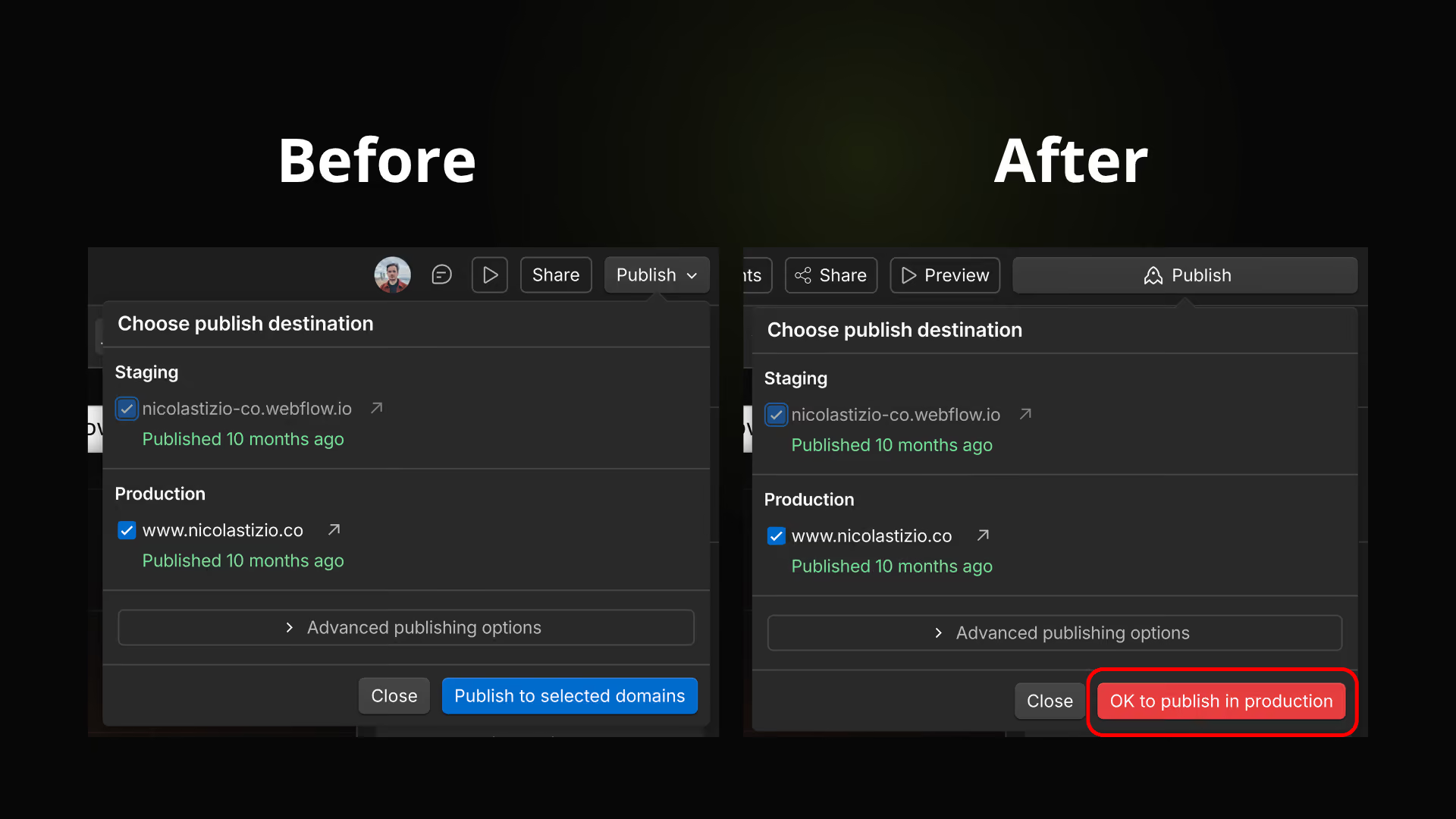
Production safeguard
Turn the Publish button red and require confirmation when publishing to a production domain
Hide Webflow Cloud
Free
Workspace
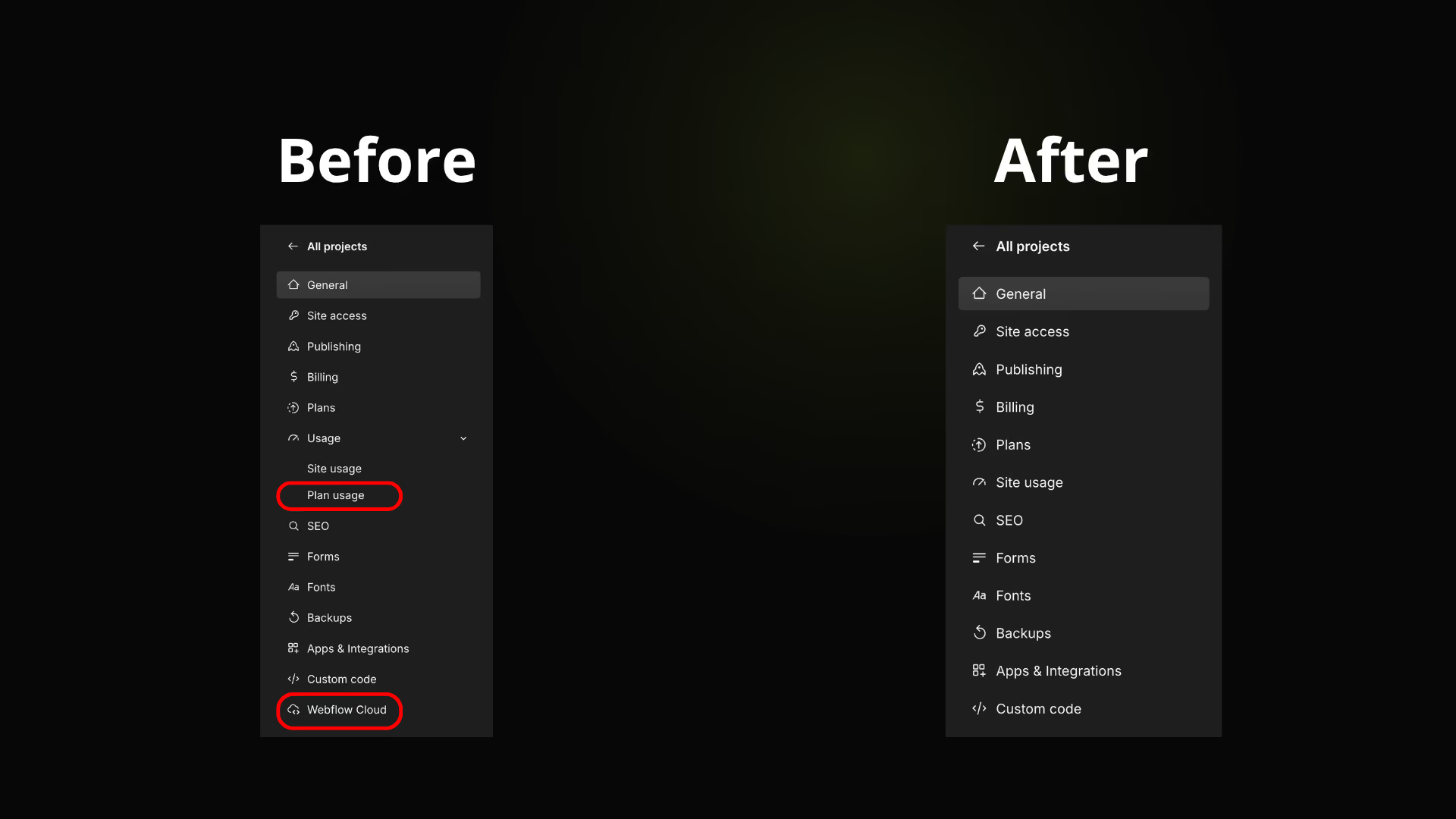
Hide Webflow Cloud
Hide the Webflow Cloud item in the site dashboard sidebar
Custom Code Shortcut
Free
Custom Code
Custom Code Shortcut
Add a shortcut button in the left sidebar to open the Custom Code panel in one click
Auto-open staging tab
Premium
Publish
Auto-open staging tab
Open or focus staging page on publish
Staging URL Copy
Free
CMS
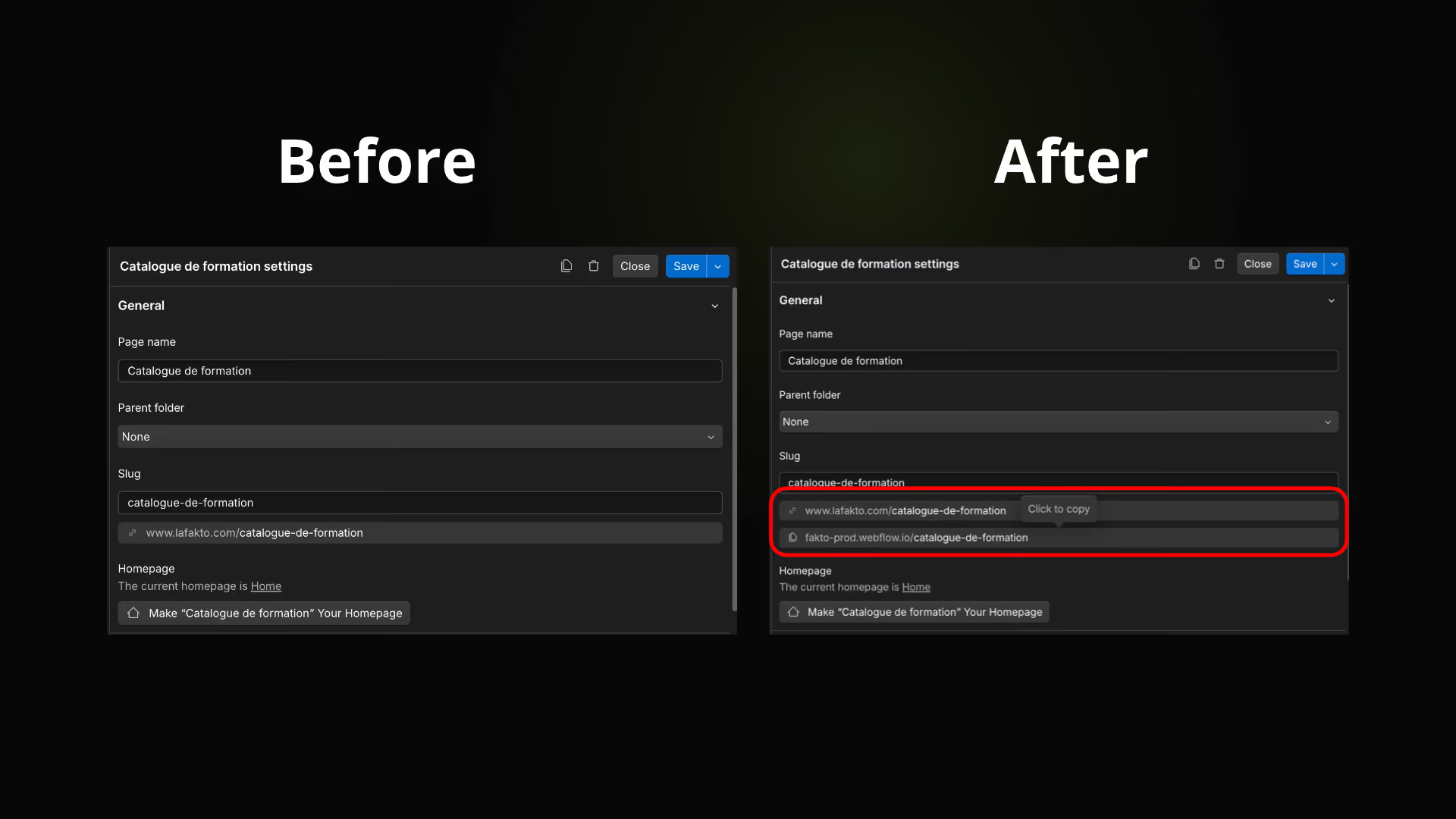
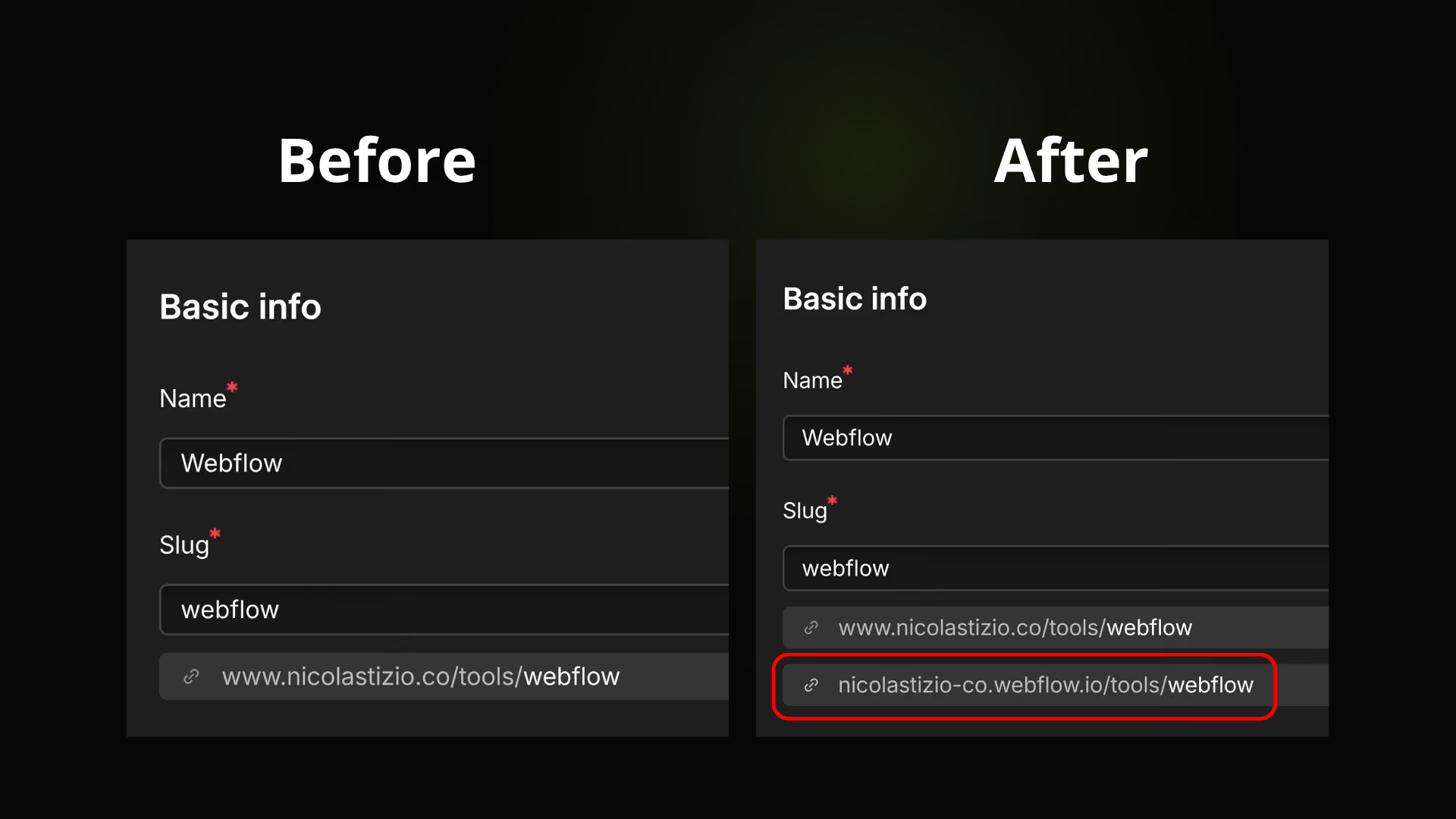
Staging URL Copy
Show a clickable pill under the slug to copy the staging URL (*.webflow.io)
Publish status in tab
Premium
Publish
Publish status in tab
Show publishing and published states in the browser tab title and favicon
Notification sound
Premium
Publish
Notification sound
Play a sound when publish completes
Page Settings Shortcut
Free
Designer
Page Settings Shortcut
Add a button in the top bar to open the current page settings in one click
Enhance Comments & Share
Free
Designer
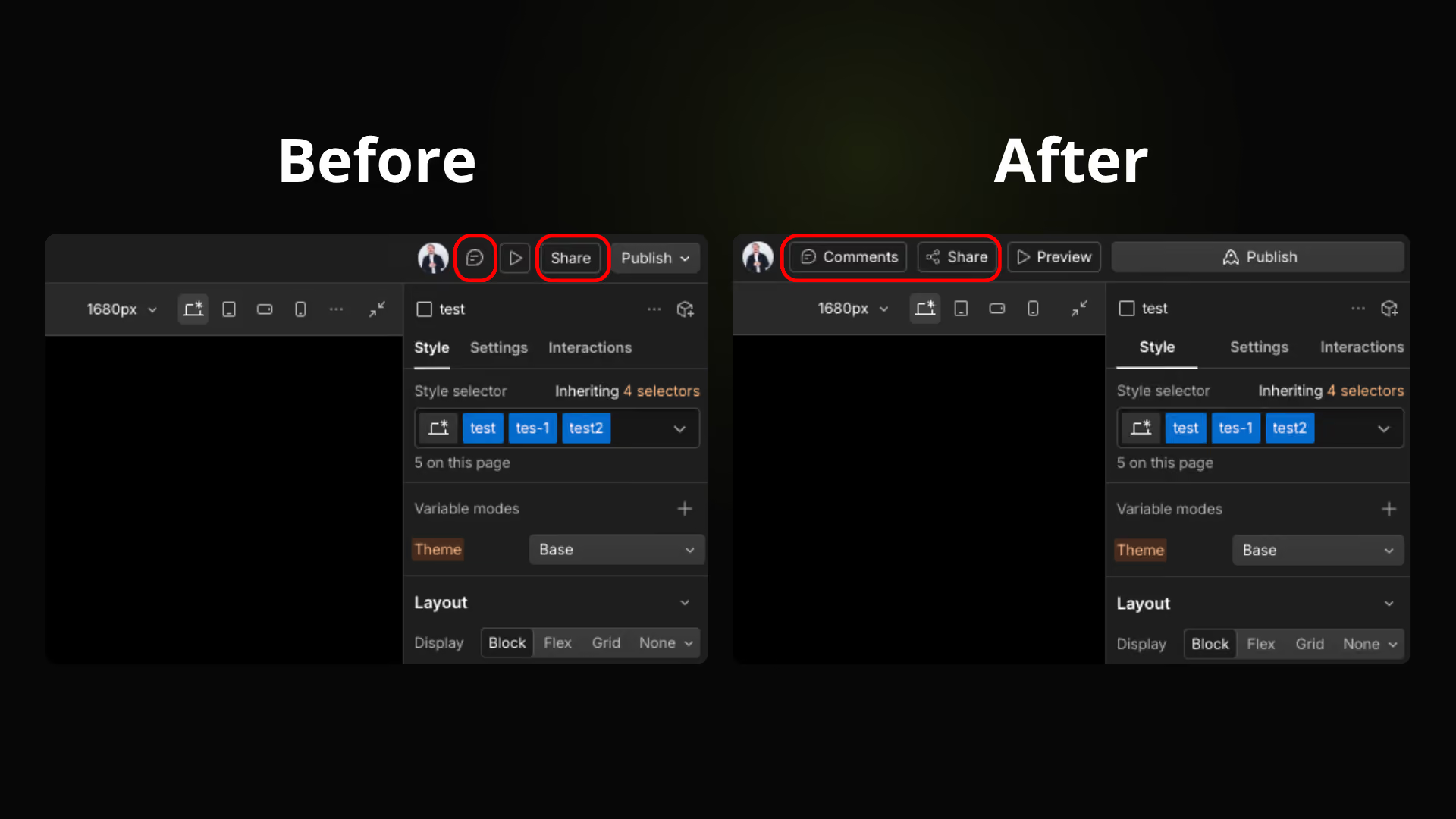
Enhance Comments & Share
Add a share icon to the Share button and refine its spacing
Pin Settings Last
Free
Designer
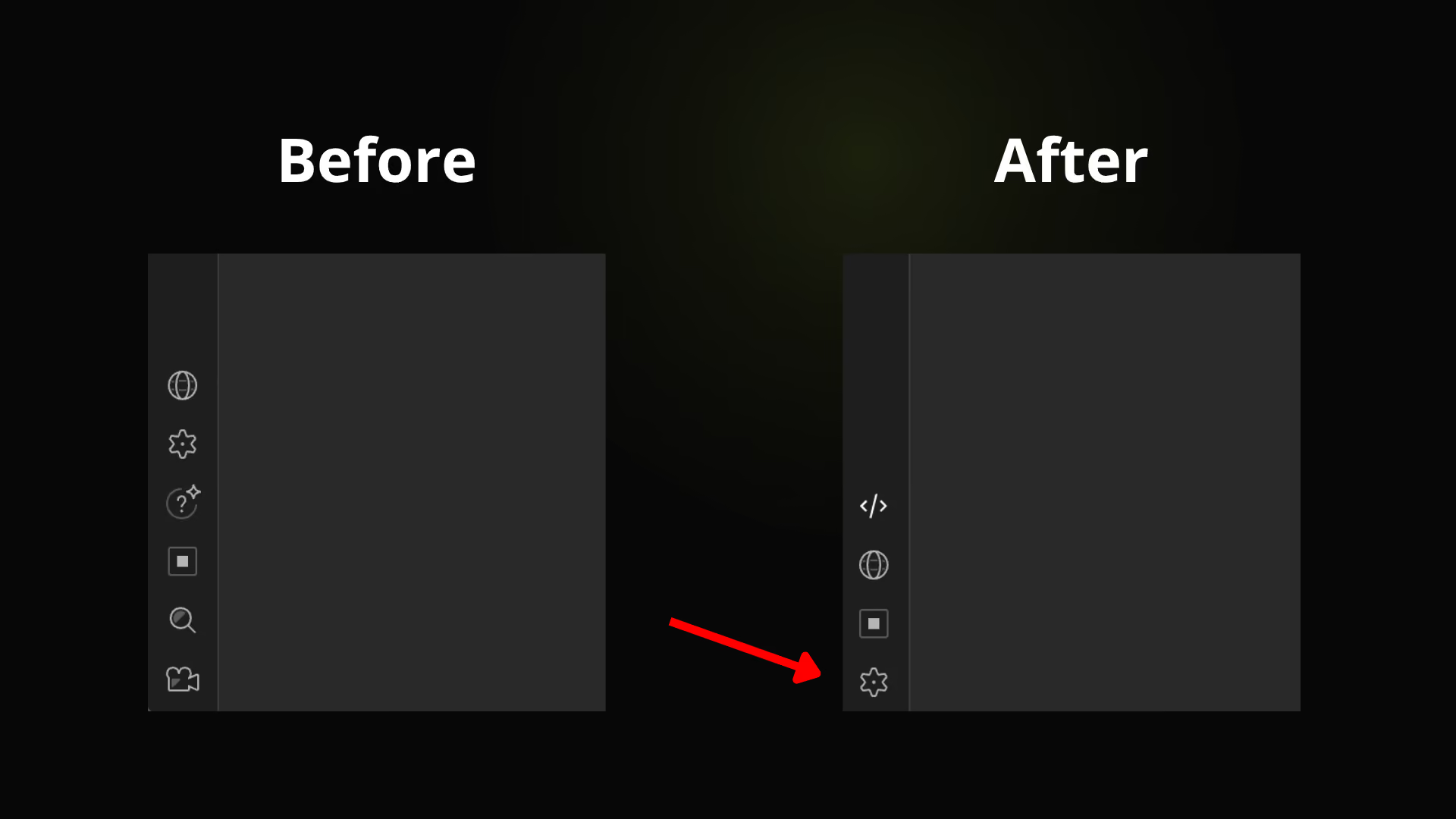
Pin Settings Last
Keep the Settings button as the last item in the left sidebar
Hide Ecommerce (CMS)
Free
CMS
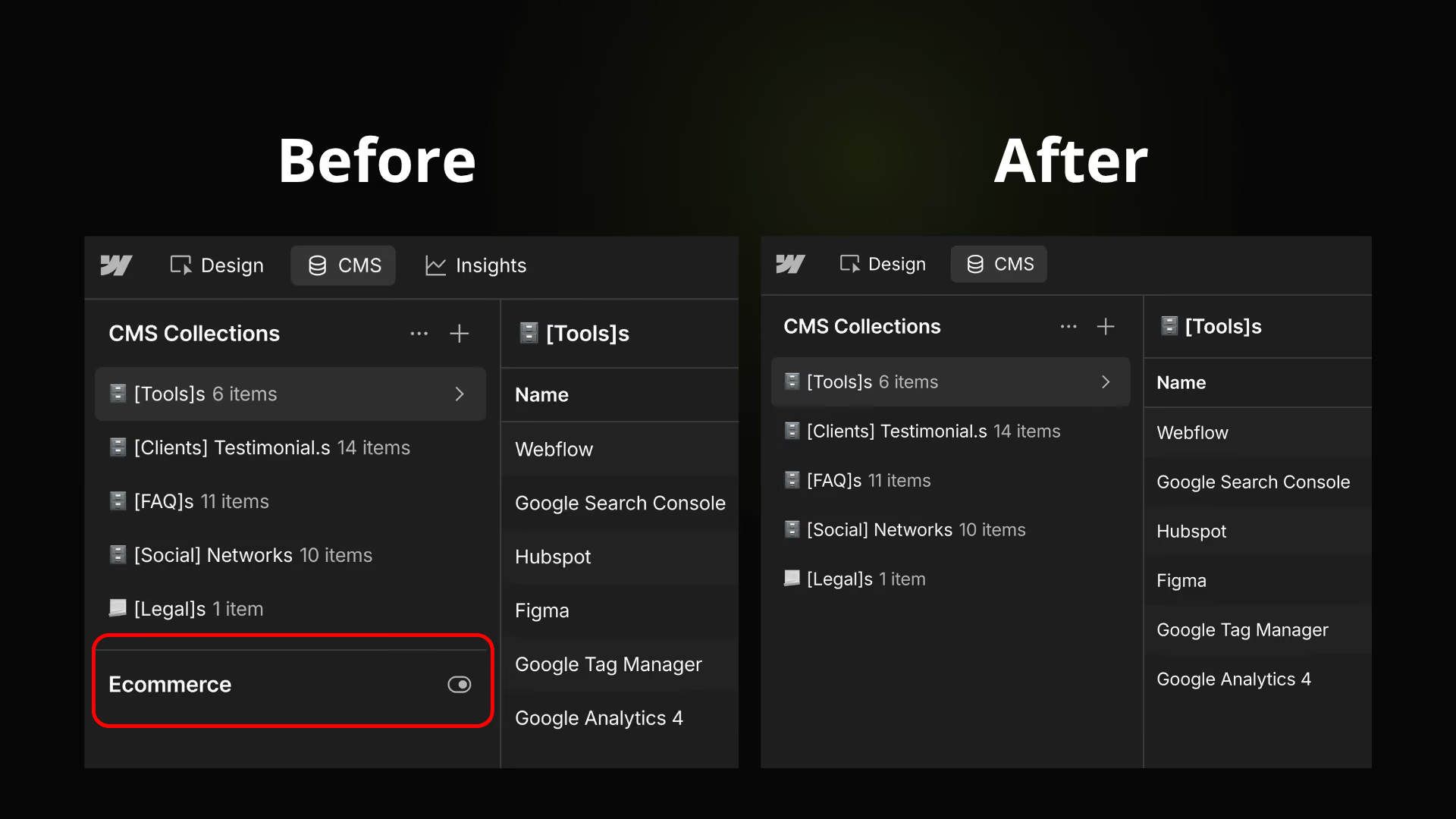
Hide Ecommerce (CMS)
Hide the Ecommerce section in the CMS sidebar
Add "/16rem" with Spacebar
Free
Designer
Add "/16rem" with Spacebar
Press Space in style inputs to append /16rem
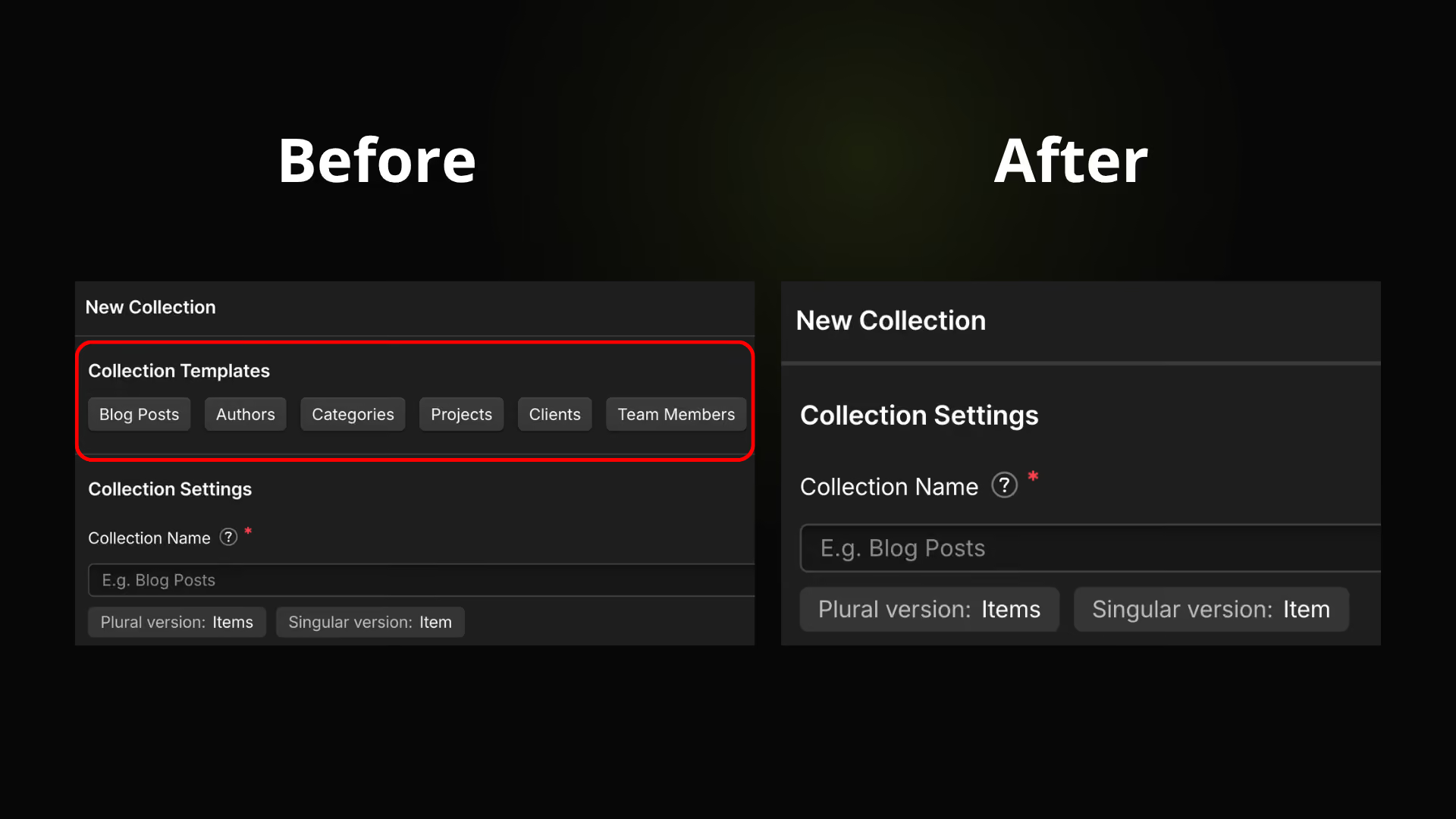
Hide Collection Templates
Free
CMS
Hide Collection Templates
Hide the collection templates offered when creating a new CMS collection
Attribute Editor
Premium
Designer
Attribute Editor
Expand button on custom attribute fields to edit long values in a modal
CSS Property Editor
Premium
Designer
CSS Property Editor
Expand button on custom CSS property value fields to edit long values in a modal
Page Custom Code Snippets
Premium
Custom Code
Page Custom Code Snippets
Add <style> and <script> snippet buttons in the Page Settings custom code editors
URL Editor
Premium
Designer
URL Editor
Expand button on link URL fields to edit long URLs in a modal
Lorem Ipsum Generator
Premium
Designer
Lorem Ipsum Generator
Add a Lorem Ipsum generator in Text Block settings to fill text fields with placeholder content
Code Embed Snippets
Premium
Designer
Code Embed Snippets
Add quick <style> and <script> buttons inside the Code Embed editor
Class Copy/Paste
Premium
Designer
Class Copy/Paste
Copy all classes from the selected element, then paste them onto another selected element.
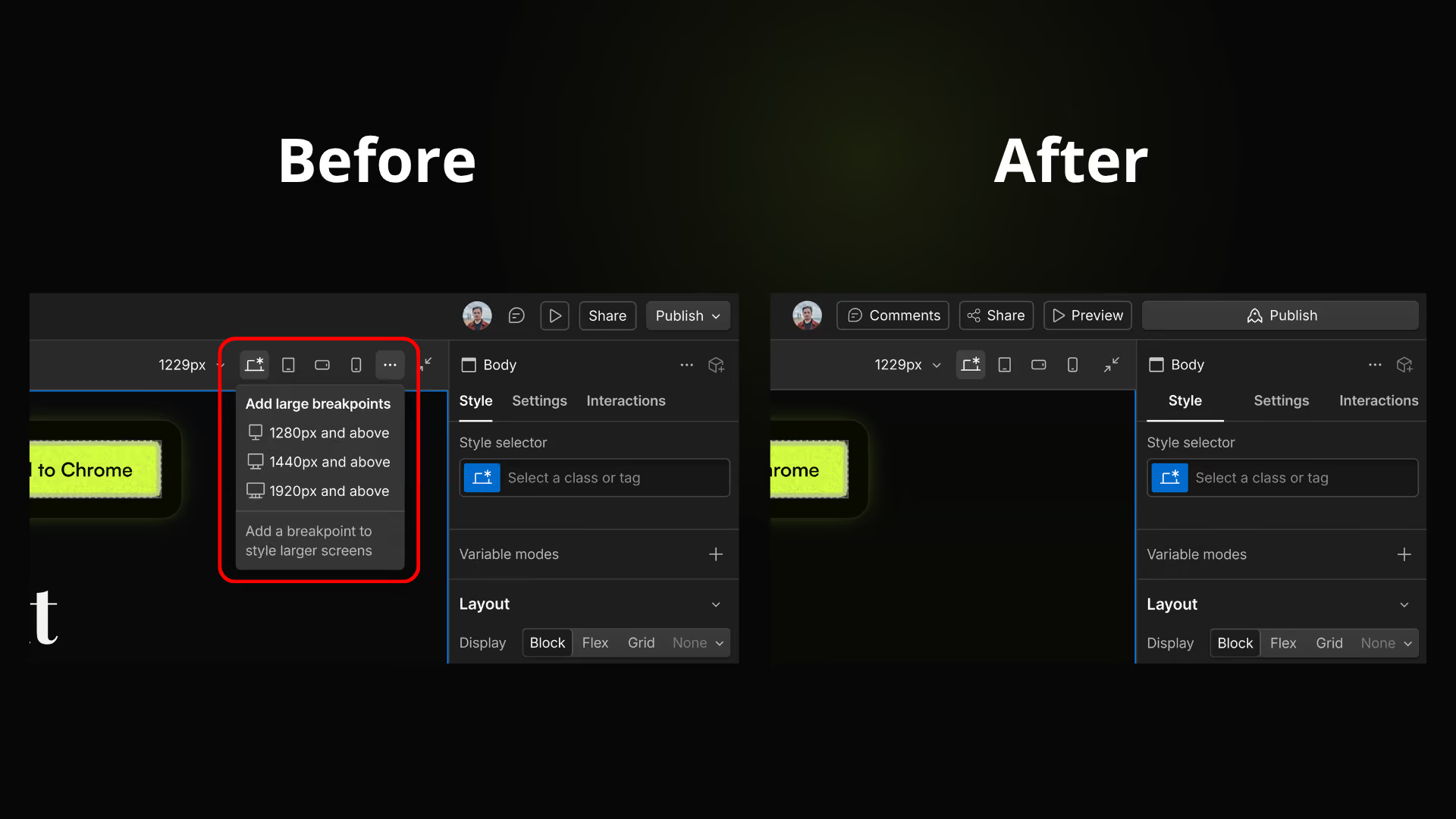
Hide Larger breakpoints
Free
Designer
Hide Larger breakpoints
Hide the larger breakpoints menu and shortcuts in canvas bar
Active Breakpoint in Red
Free
Designer
Active Breakpoint in Red
Highlight the active breakpoint button in red as a visual reminder you're not on the base breakpoint
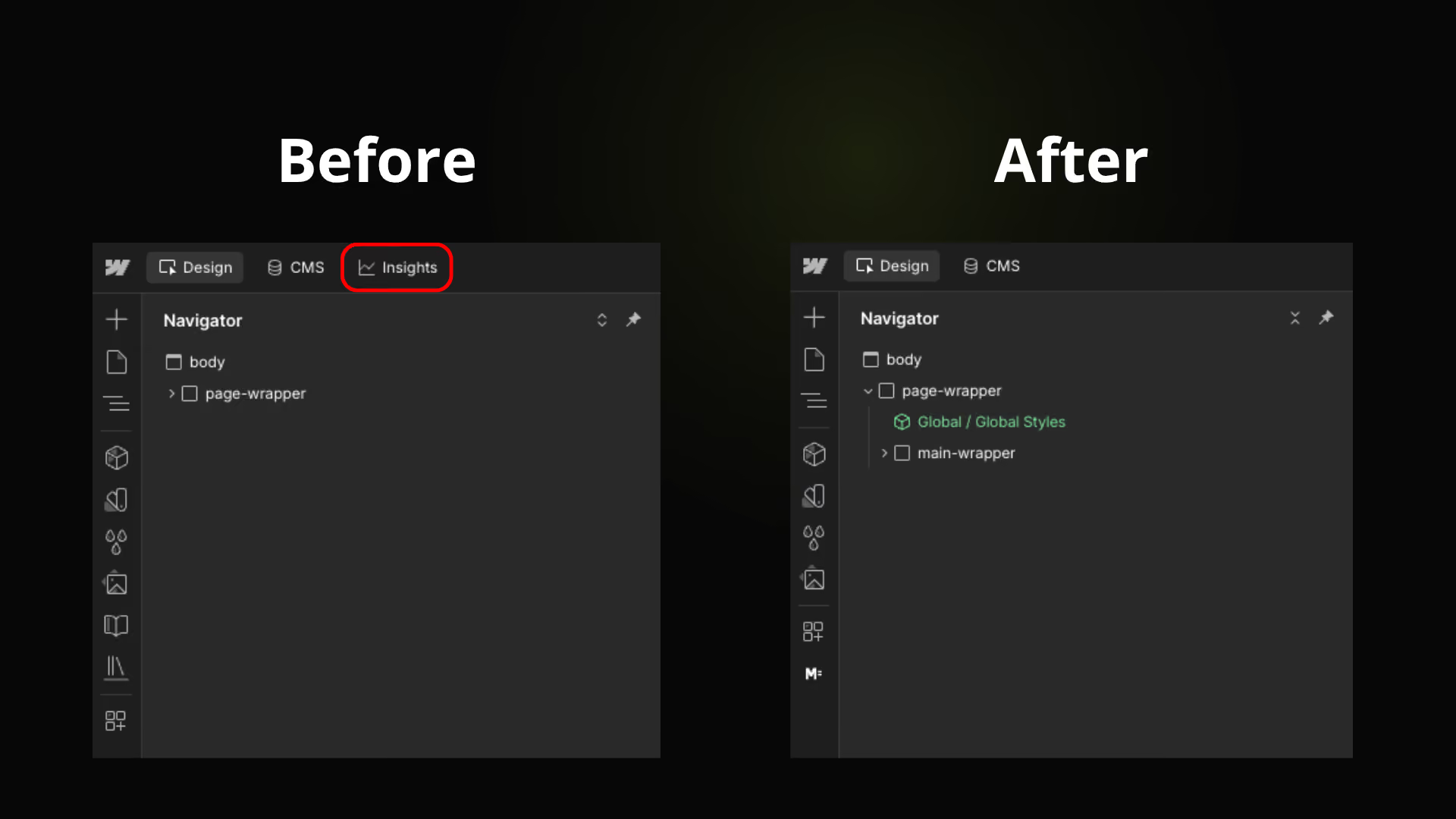
Hide Insights button
Free
Designer
Hide Insights button
Hide the Insights button in the top bar
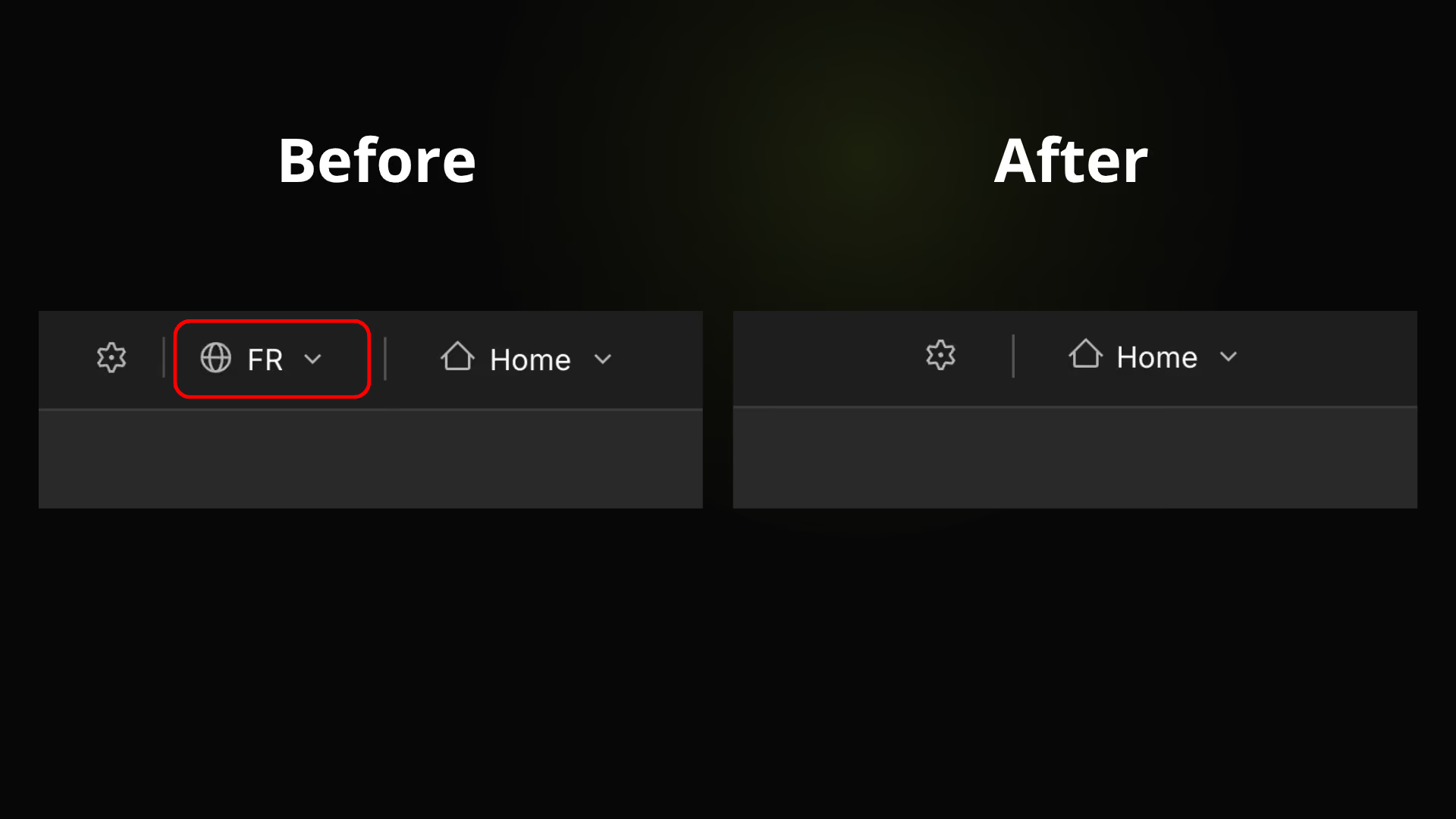
Hide Locale Switcher
Free
Designer
Hide Locale Switcher
Hide the locale switcher in the top bar when no secondary locale is configured
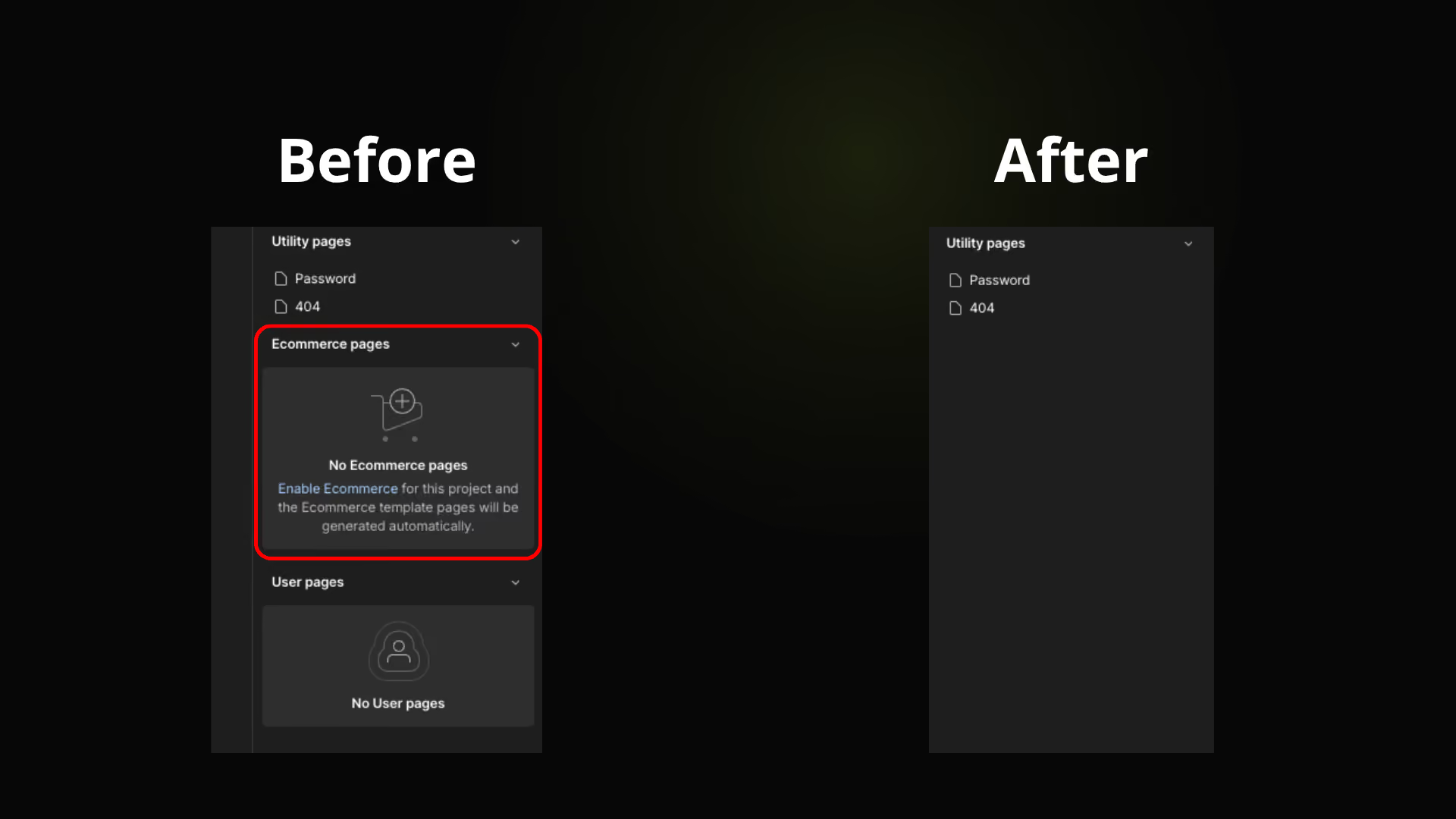
Hide Ecommerce pages
Free
Designer
Hide Ecommerce pages
Hide the Ecommerce pages section in Pages panel
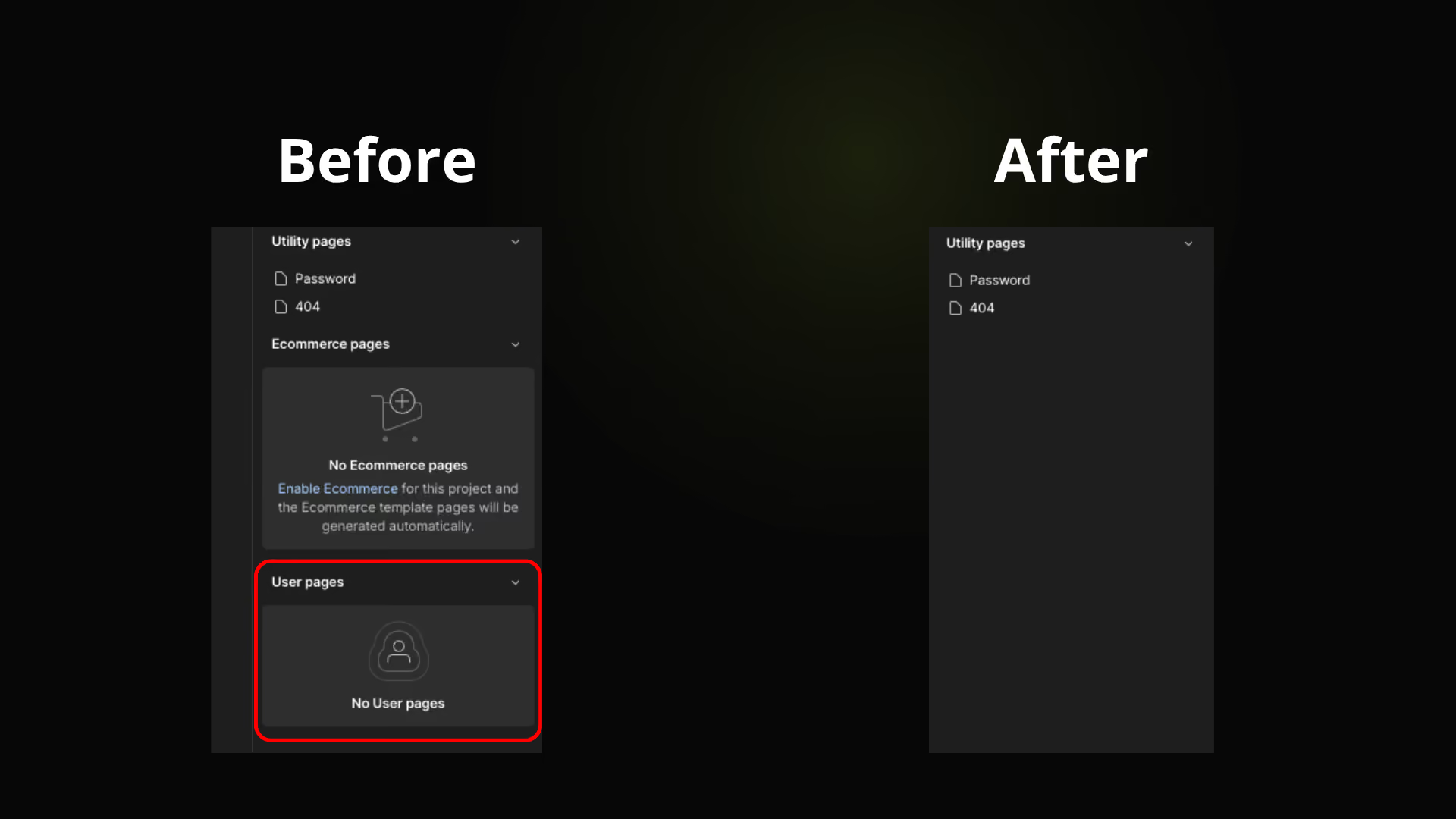
Hide User pages
Free
Designer
Hide User pages
Hide the User pages section in Pages panel
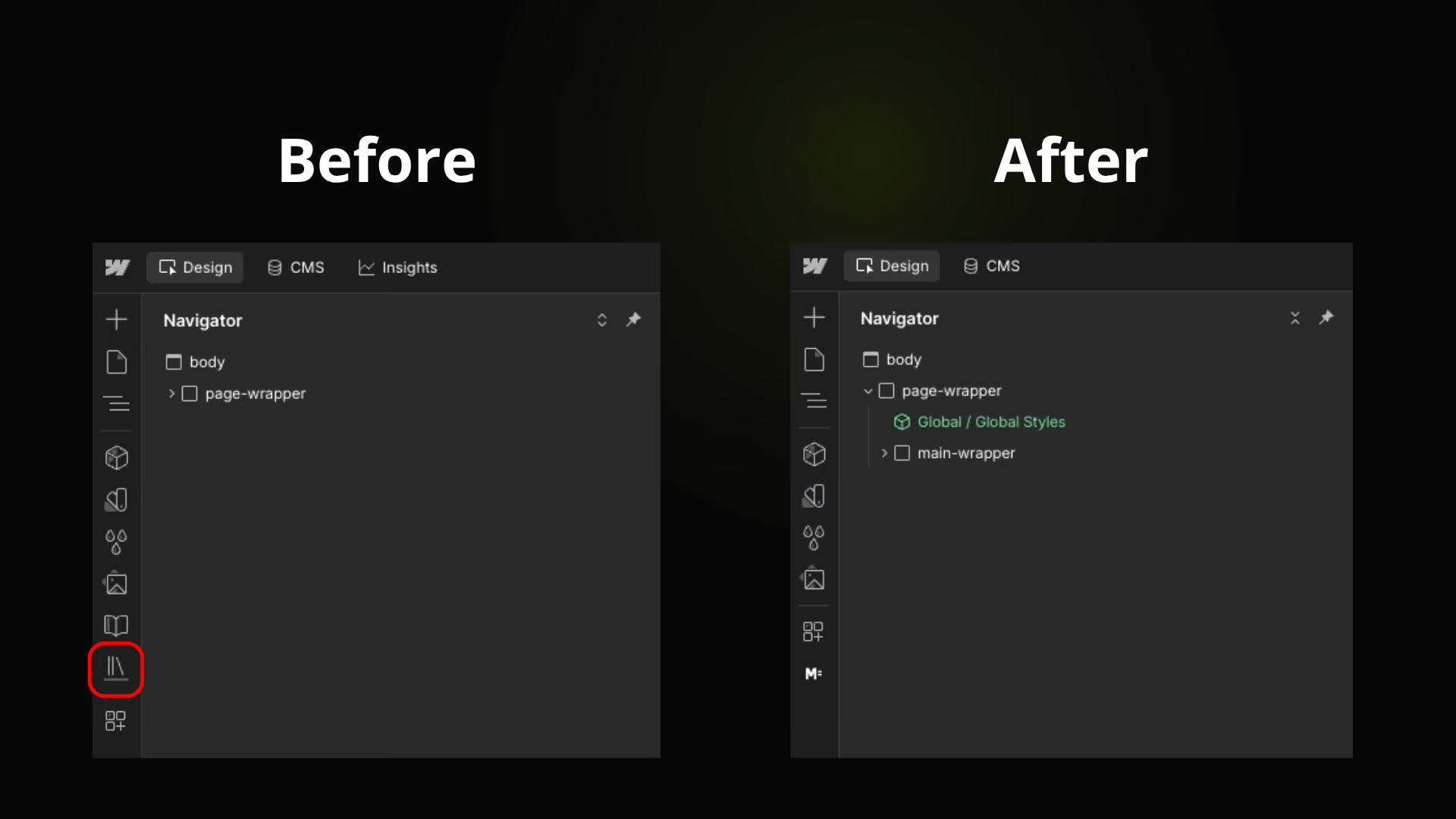
Hide Libraries button
Free
Designer
Hide Libraries button
Hide the Libraries button in the left sidebar
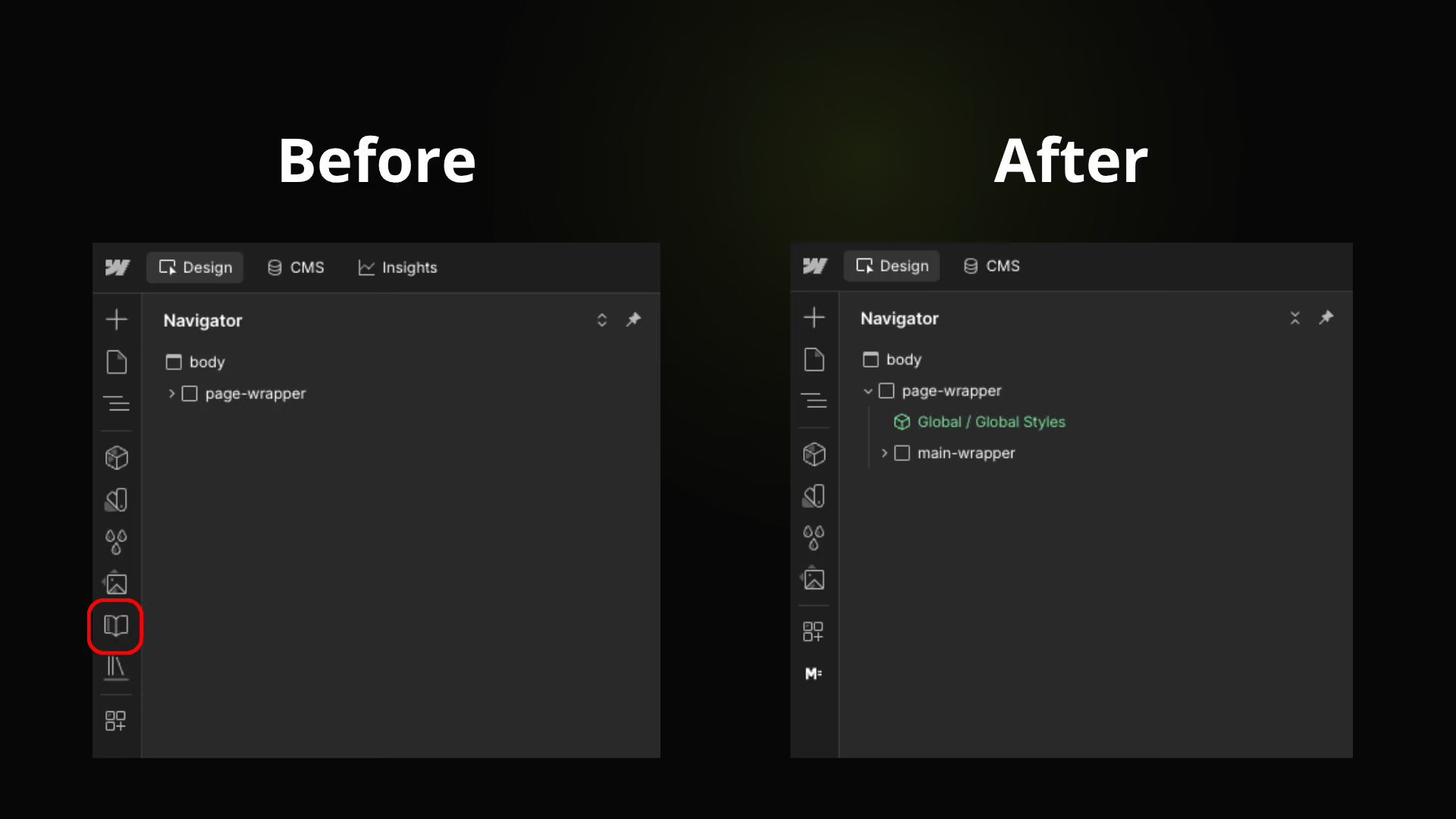
Hide Instructions menu
Free
Designer
Hide Instructions menu
Hide the Instructions menu in the Designer
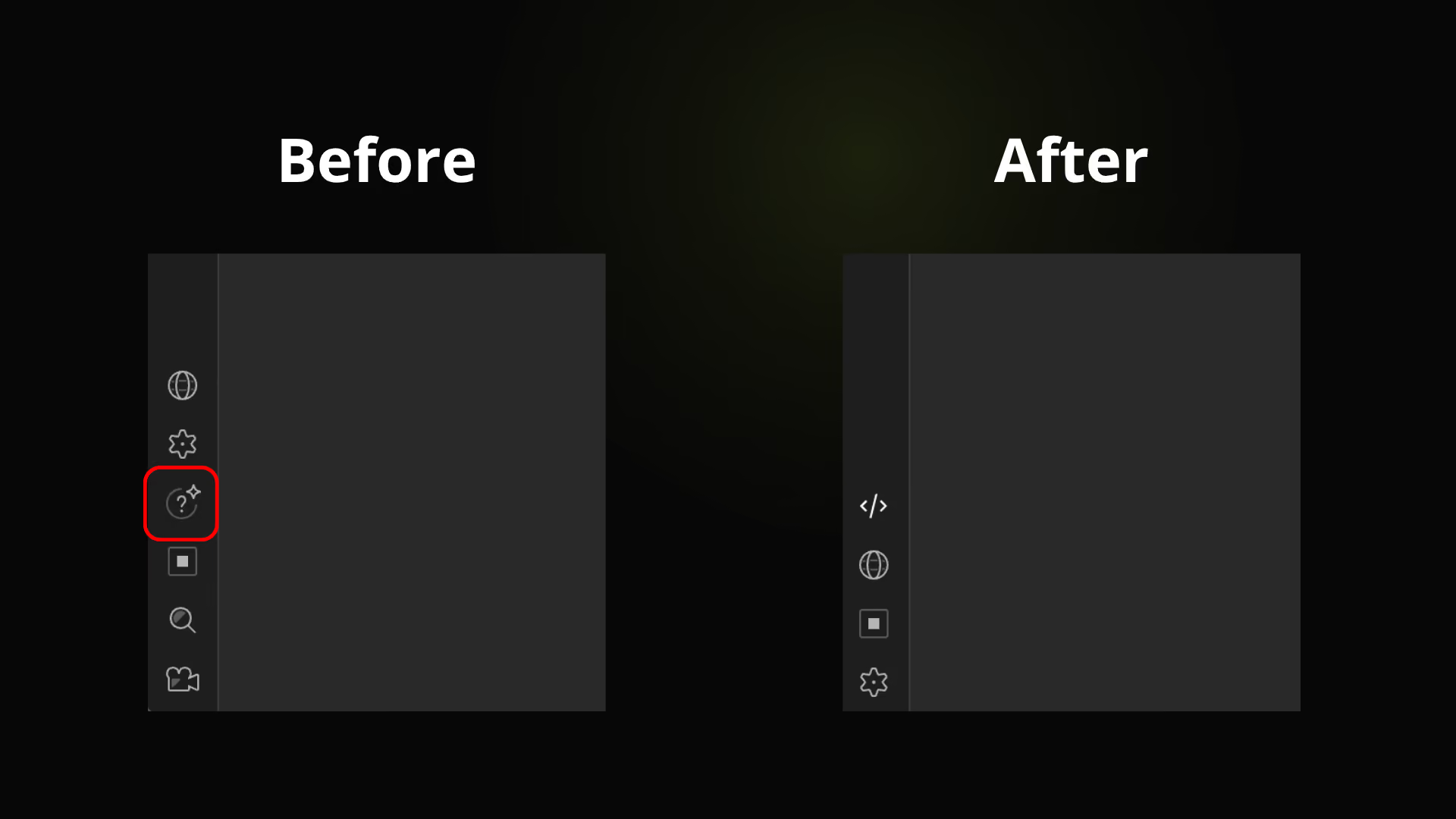
Hide Learning Assistant
Free
Designer
Hide Learning Assistant
Hide the Learning Assistant button in the left sidebar
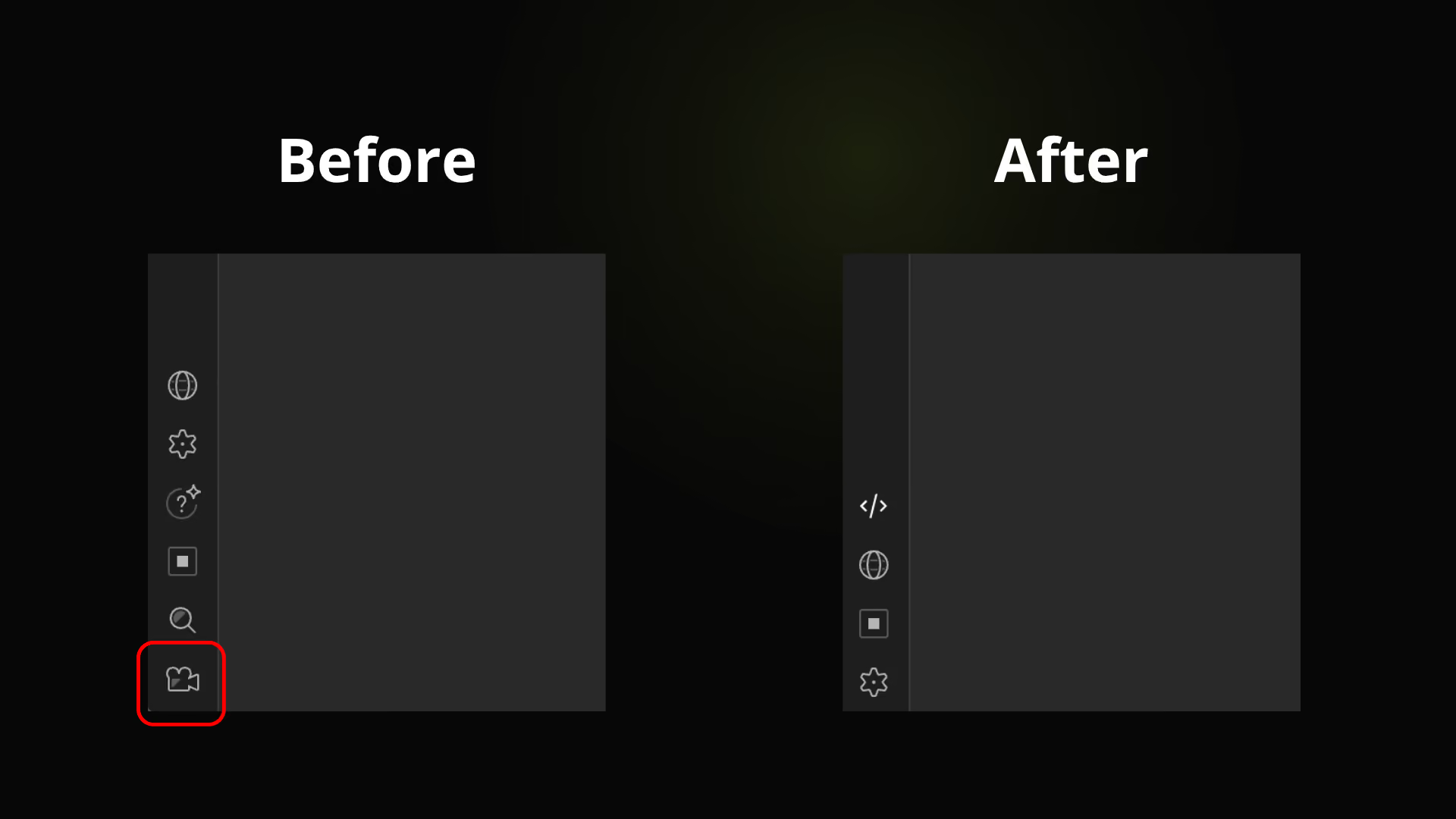
Hide Video tutorials
Free
Designer
Hide Video tutorials
Hide the Video tutorials button in the left sidebar
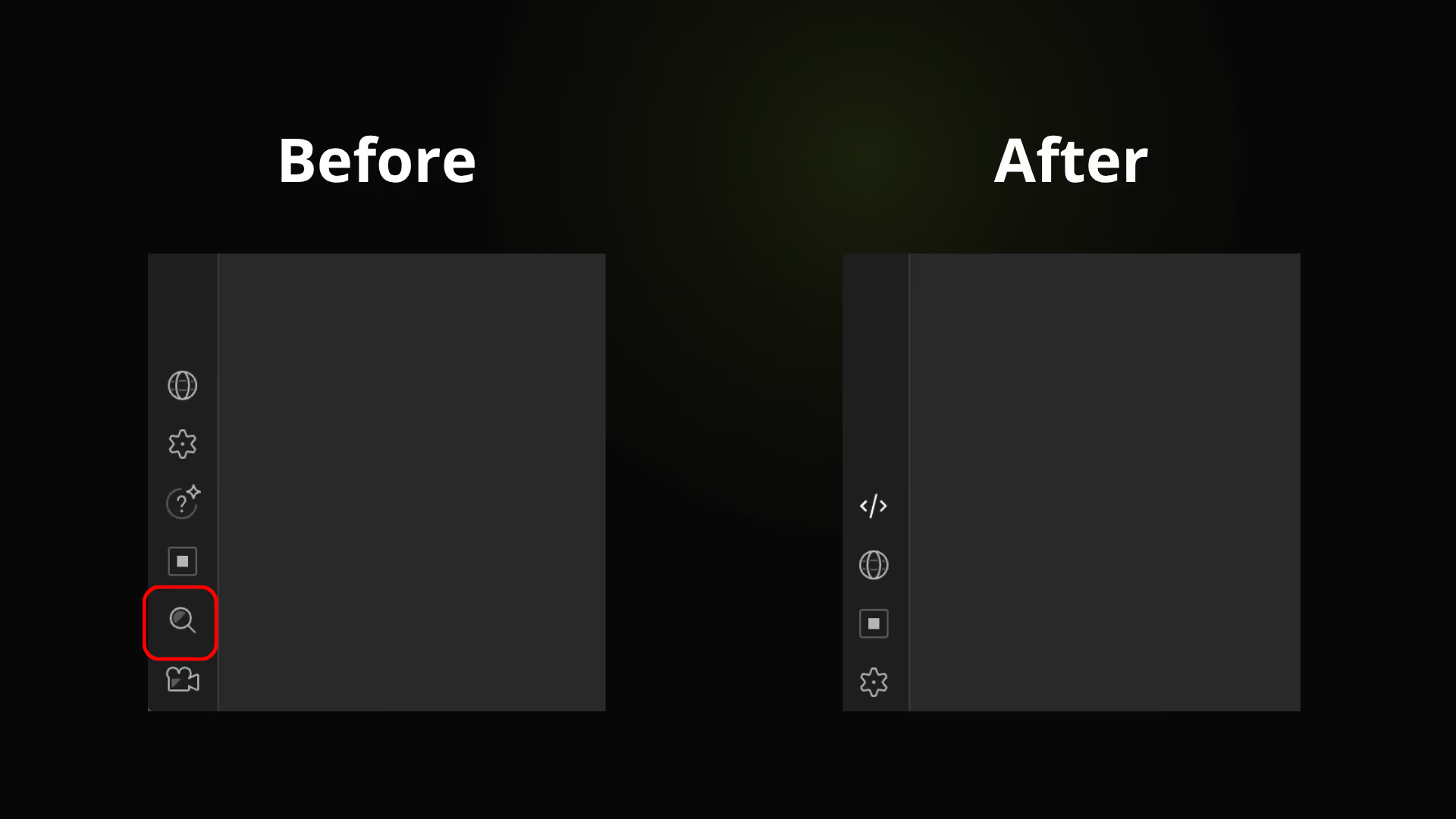
Hide Find anything
Free
Designer
Hide Find anything
Hide the Find anything button in the left sidebar

Tools you won’t find in Webflow

MasterFlow goes beyond Designer enhancements with built-in tools for focus, tracking, and project-specific workflows.
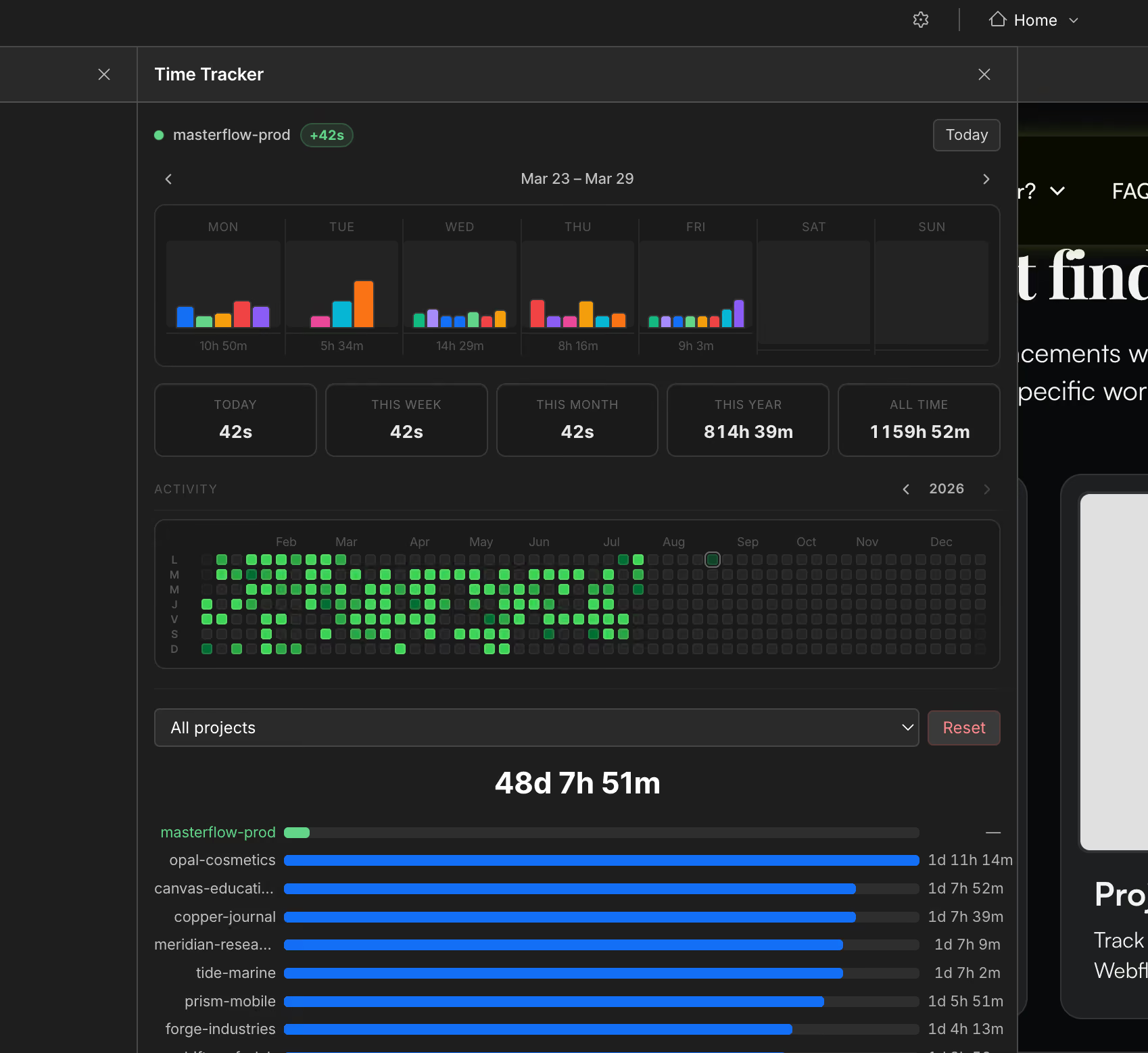
Time Tracker app interface showing weekly time bar charts for Mar 23–29, daily activity heatmap Jan to Aug 2026, time tracked today, week, month, year, all time, and a project list with tracked durations.
Project Time Tracker
Track exactly how much time you spend in each Webflow project.
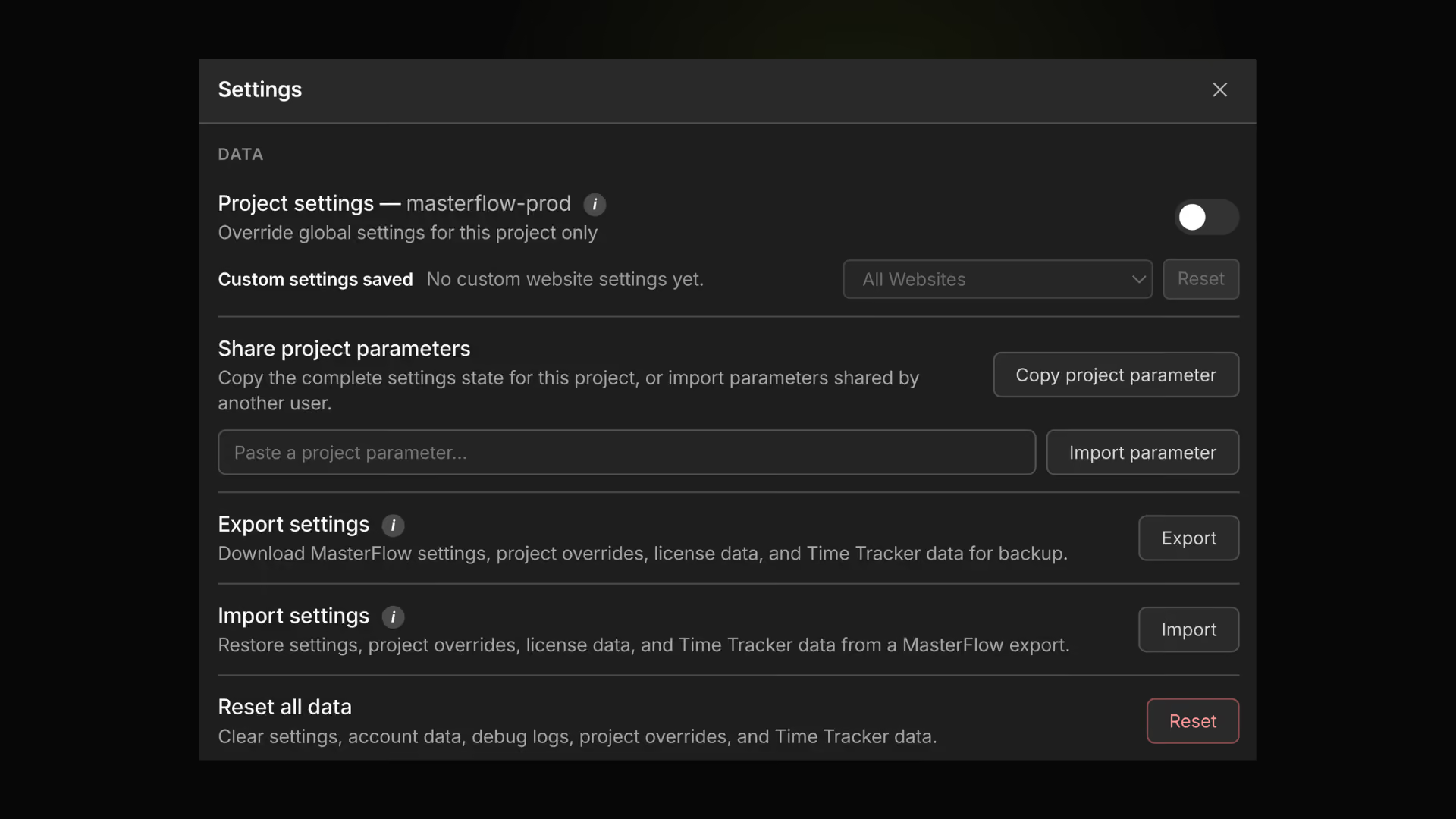
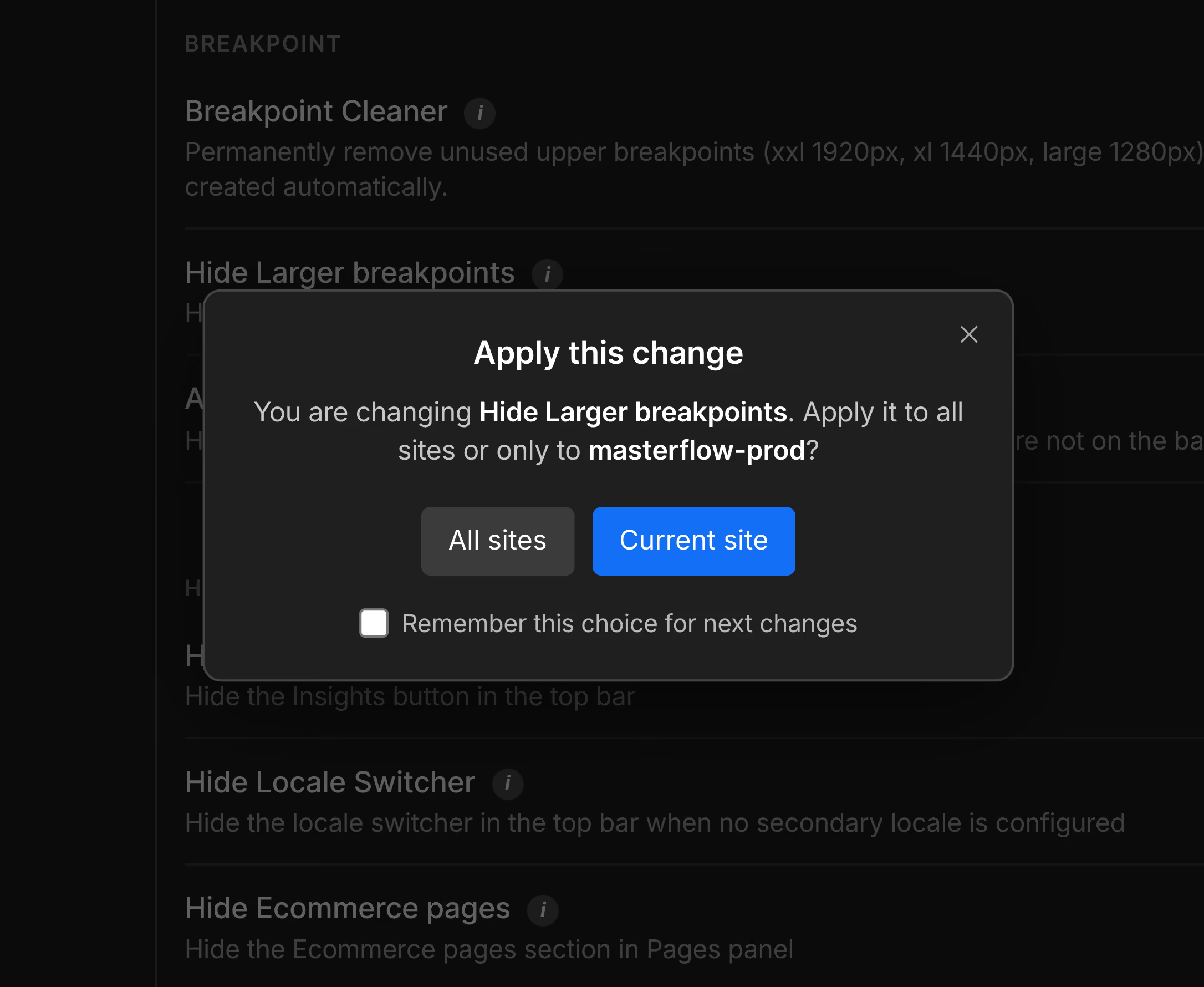
Popup dialog asking to apply the change to 'Hide Larger breakpoints' to all sites or only to masterflow-prod with buttons for All sites and Current site and a checkbox to remember this choice.
Project Profiles
Configure MasterFlow site by site. Save, share, and apply the right setup for every Webflow project.
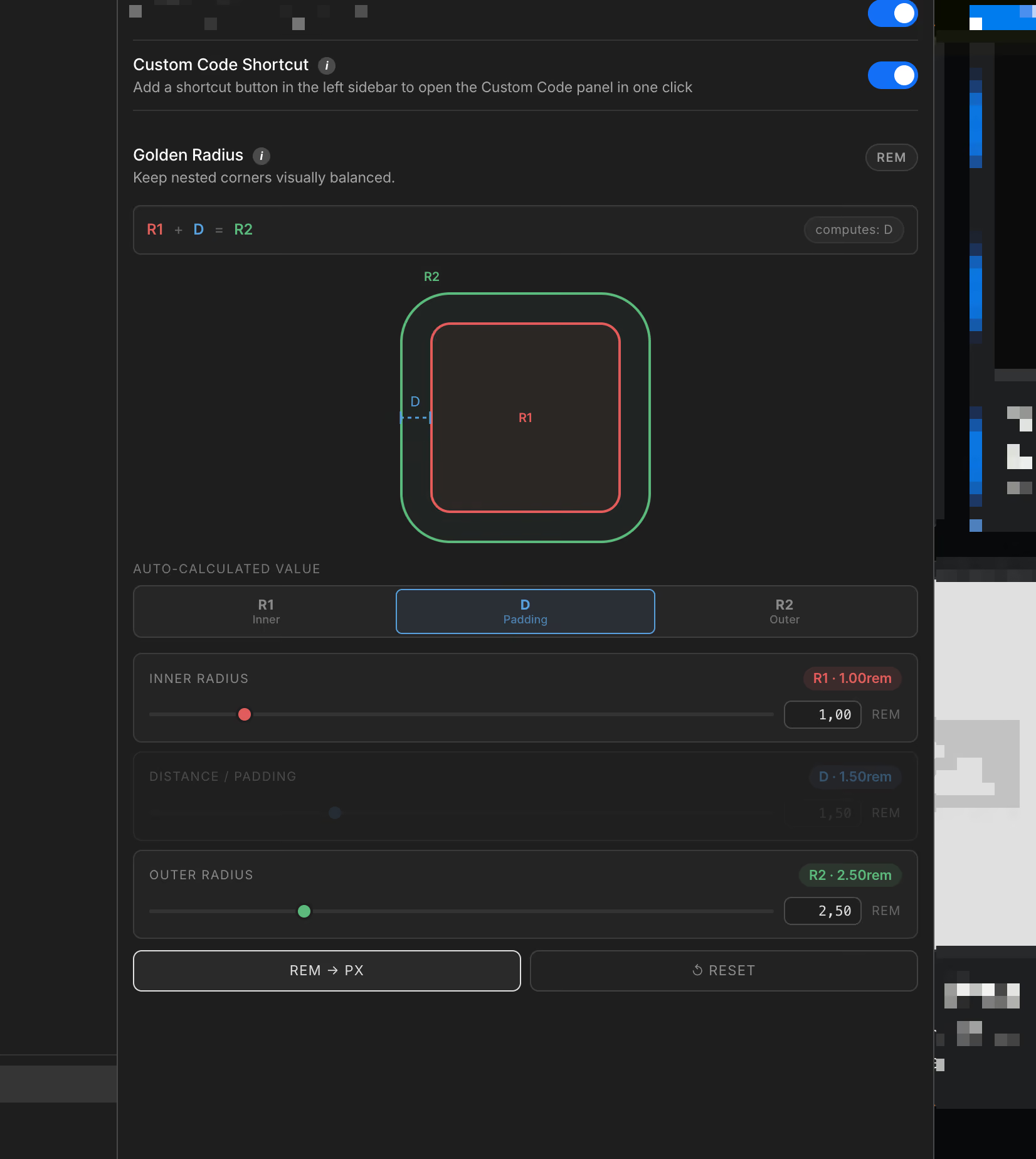
Interface showing a Golden Radius calculator with nested squares labeled R1, D, and R2, sliders for inner radius, padding distance, and outer radius, and buttons for REM to PX conversion and reset.
Golden Radius
Find balanced inner and outer corner radii in seconds.
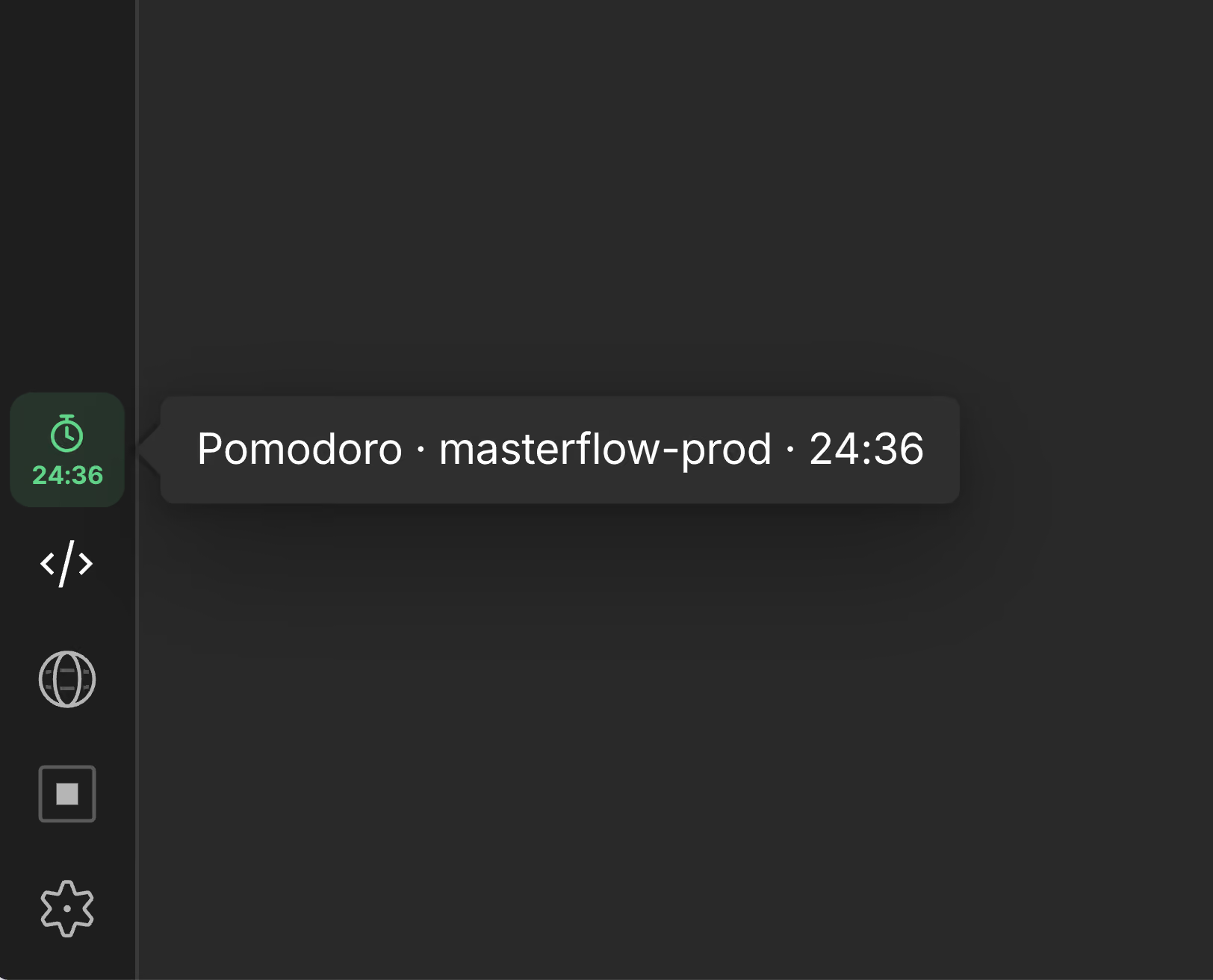
Screen showing a Pomodoro timer labeled 'masterflow-prod' with 24 minutes and 36 seconds remaining, next to a green stopwatch icon on a dark interface sidebar.
Pomodoro Timer
Stay focused without leaving Webflow Designer.
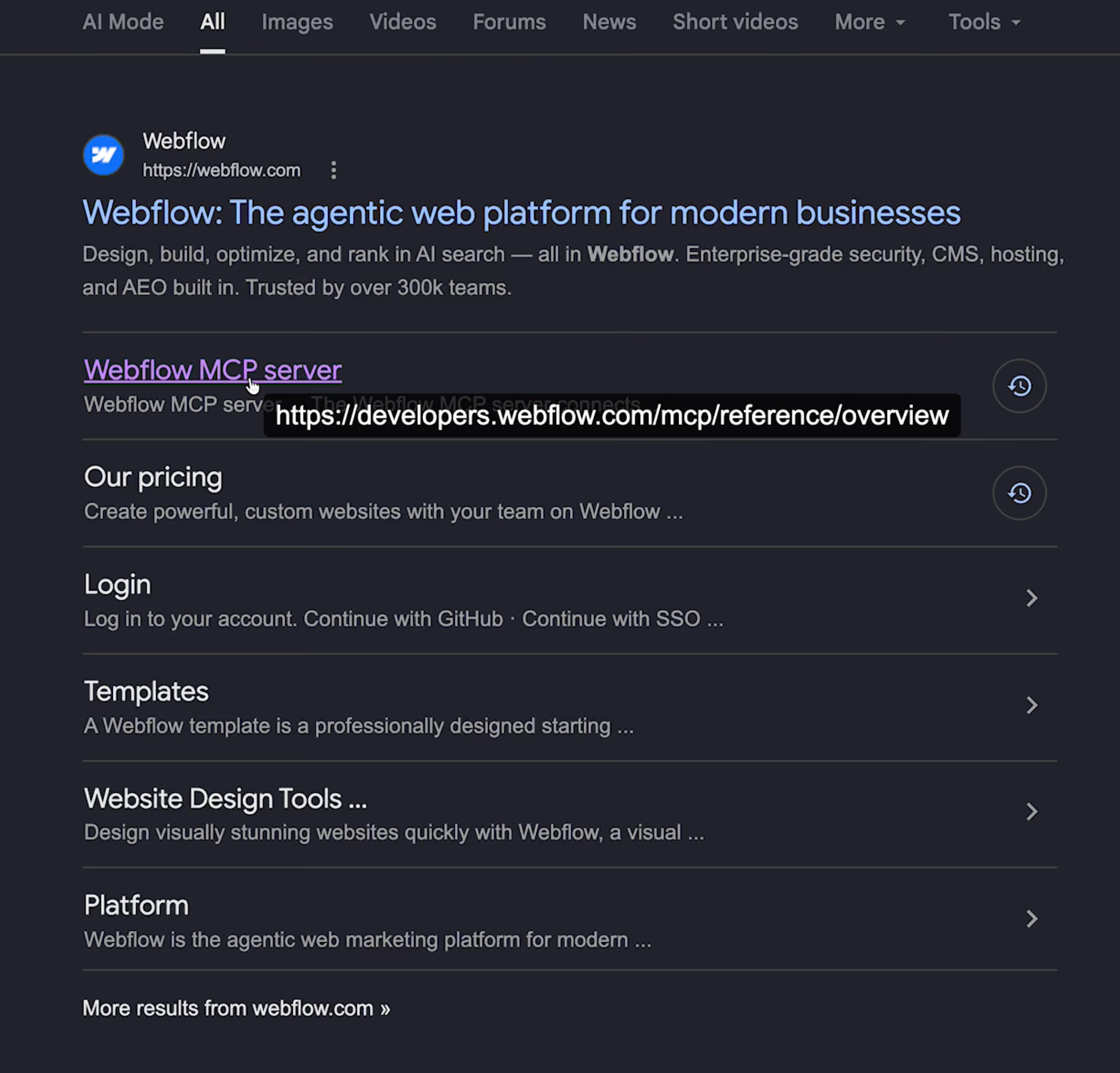
Search results page showing Webflow website with links to MCP server, pricing, login, templates, design tools, and platform information.
Link Tooltip Viewer
Preview link destinations without breaking your workflow.
Trial now

Choose the plan that fits your workflow

Start free for clients, or unlock all 50+ tools with MasterFlow Premium.

Monthly plan
Premium
$6.99/month
Flexible billing, month to month.
Start 21-day free trial
Or get monthly license ↗︎
Full access to 50+ tools
Build faster in Webflow Designer  
Customize your workspace
New features coming (Soon)
Snippet Library (Soon)
Yearly plan
Premium
$69.99/year
That’s $5.83/month — save 17%.
Start 21-day free trial
Or get annual license ↗︎
Full access to 50+ tools
Build faster in Webflow Designer  
Customize your workspace
New features coming (Soon)
Snippet Library (Soon)
Lifetime plan
Premium
$149.99/lifetime
One payment. Lifetime access.
Start 21-day free trial
Or get lifetime access ↗︎
Full access to 50+ tools
Build faster in Webflow Designer  
Customize your workspace
New features coming (Soon)
Snippet Library (Soon)

MasterFlow is free for your clients

Give them a cleaner, more focused Webflow workspace at no extra cost.
Share the extension with your customers

Questions, answered.

Everything you need to know before installing MasterFlow.

  • What is MasterFlow?

    MasterFlow is a Chrome extension that adds 50+ tools and enhancements directly to Webflow Designer.

  • How does MasterFlow work?

    Simply install the extension—its free features are available right away. Create an account to unlock a 21-day Premium trial, then choose a Monthly, Annual, or Lifetime plan anytime from your account. Your license is activated automatically for the duration of your plan.

  • Who is MasterFlow for?

    MasterFlow is built for Webflow freelancers and agencies. A free Client plan is also available for clients and content editors.

  • Does MasterFlow modify my Webflow site?

    MasterFlow works inside Webflow Designer. It never publishes changes or alters your site without your action.

  • Can I use MasterFlow with client projects?

    Absolutely. MasterFlow is built for freelancers and agencies working on client projects. You can use Premium for your own workflow and invite clients to install the free Client plan.

  • Is MasterFlow free for clients?

    Yes. Your clients can install the free Client plan for a cleaner, more focused Webflow workspace.

  • Can I customize MasterFlow for each project?

    Yes. Your license works across all your Webflow projects and devices. For each site, you can enable, disable, and configure individual MasterFlow features independently—so every workspace matches the project and the people using it.

  • Can I try Premium before paying?

    Yes. Every Premium plan starts with a 21-day free trial.

  • What happens when my 21-day trial ends?

    When your trial ends, Premium features are disabled. You can upgrade to a Monthly, Annual, or Lifetime plan anytime from your account.

  • How do I manage my subscription or license?

    Open MasterFlow and go to your account. You can manage your subscription and license directly through Stripe.

  • Can I cancel my plan or get a refund?

    Monthly plans can be cancelled at any time. Your access remains active until the end of the current billing period.Annual and Lifetime plans are non-refundable once purchased.

  • Do I get future updates with my plan?

    Yes. MasterFlow is actively being developed, with new features planned in the coming weeks—including the upcoming Snippet Library. Active Premium plans receive future updates as they’re released.

  • Does MasterFlow collect any data?

    MasterFlow only uses your email address and license information to create and validate your account. It never has access to your passwords. We use anonymous PostHog telemetry to understand feature usage; it is not tied to your identity and does not tell us who did what.

  • How is MasterFlow maintained?

    MasterFlow is built and maintained by a Webflow developer who uses it every day. As Webflow evolves, the extension is updated to stay compatible with the Designer.

  • Will MasterFlow get new features?

    Yes. MasterFlow will continue to evolve with new tools and enhancements. A public list of planned features will be shared soon.

  • Can I suggest a feature?

    Yes. You’ll be able to share feature ideas directly from the extension. The most relevant suggestions may be added to MasterFlow for the whole community.

Masterflow
© 2026 Masterflow. All rights reserved.
Activate licencePrivacy PolicyTerms of Service